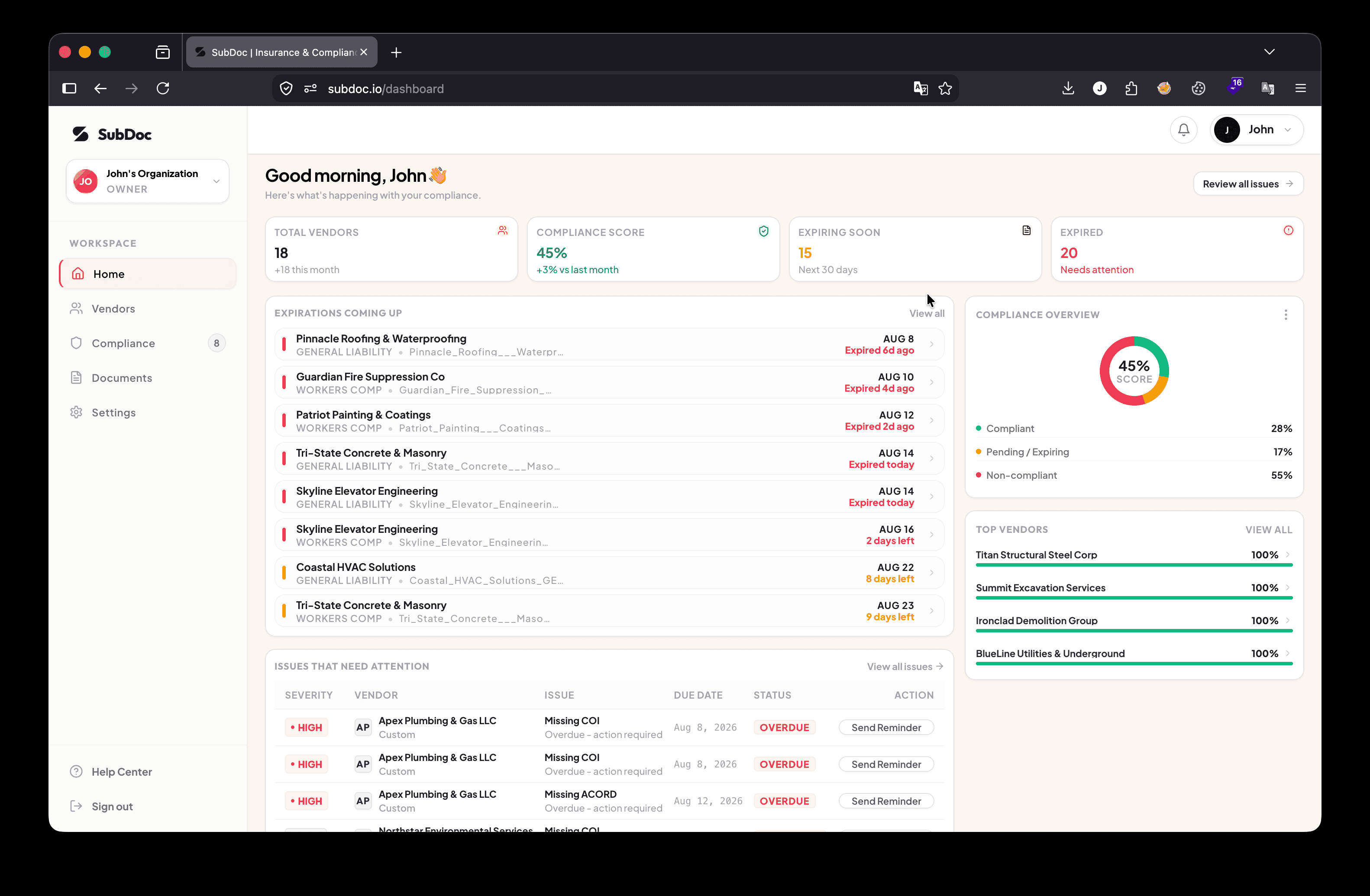
The Multi-Property Portfolio Dilemma
If you manage a commercial real estate portfolio, an office park, or a collection of mixed-use retail properties, you manage two distinct categories of insurance risk simultaneously:
- Service Vendors and Trade Contractors: Janitorial teams, landscaping crews, HVAC technicians, roofing contractors, and security guards performing active work on common grounds.
- Commercial and Retail Tenants: Restaurant operators, retail stores, medical clinics, and corporate office tenants occupying leased square footage under commercial lease contracts.
Each property is often held in a separate entity LLC (e.g., 100 Main Street Holdings LLC vs. Westfield Plaza LLC). That means every certificate must list the specific property LLC as the Additional Insured and Certificate Holder, or the landlord has zero legal coverage when a claim occurs.
When managing 10 buildings with 40 tenants and 25 service vendors each, your property management team is suddenly responsible for tracking over 650 independent insurance policies. Spreadsheets and manual calendar alerts collapse under this volume.
Direct Answer: How to Track Portfolio COIs
To track Certificates of Insurance across a multi-property portfolio, use automated compliance software that organizes records by property LLC. Send passwordless magic upload links to vendors, tenants, and their insurance agents, use AI OCR to parse ACORD 25 forms in 5 seconds, and automate 60, 30, and 15-day renewal reminder schedules.
Vendor COI Tracking vs. Tenant COI Tracking
Understanding the difference between vendor and tenant compliance is essential for mitigating risk across commercial portfolios:
| Dimension | Vendor & Contractor Tracking | Tenant Lease Compliance |
|---|---|---|
| Target Entity | Third-party contractors, service vendors, trade trades (HVAC, janitorial, roofing) | Commercial retail, office, industrial, or residential tenants occupying space |
| Primary Risk Managed | Operational property damage, jobsite bodily injury, employee Workers' Comp claims | Premises liability, customer slip-and-fall, tenant-caused property damage, business personal property |
| Key Policy Lines | General Liability ($1M-$2M), Auto ($1M), Workers' Comp (Statutory), Umbrella ($5M+) | General Liability ($1M-$2M), Property Damage, Business Interruption / Loss of Rent |
| Crucial Endorsement | CG 20 10 (Ongoing) + CG 20 37 (Completed Operations) + CG 24 04 (Waiver of Subrogation) | Landlord LLC named as Additional Insured + Primary & Non-Contributory wording |
| Enforcement Mechanism | Work order pause, gate access hold, accounting invoice payment freeze | Default notice, lease covenant cure period, forced-place insurance surcharge |
5-Step Blueprint to Track Portfolio COIs Efficiently
Step 1: Structure Properties by Individual Holding Entity
Avoid lumping all portfolio documents into one generic folder. Create a dedicated profile for each property in your compliance dashboard. Define the exact legal name of the property owner LLC, the property management company, and the lender entity so that upload invitation links instruct insurance brokers on the exact Additional Insured wording required.
Step 2: Define Tiered Coverage Rules per Risk Level
Not all vendors and tenants carry the same risk. Establish customized compliance templates based on operational exposure:
- High-Risk Vendors (Roofing, Facade Maintenance, Electrical): $2M General Liability, $5M Umbrella, mandatory Completed Operations (CG 20 37), and Waiver of Subrogation.
- Standard Service Vendors (Janitorial, Landscaping): $1M General Liability, statutory Workers' Comp, and Additional Insured endorsement.
- Commercial Tenants (Restaurants, Gyms, High-Foot-Traffic Retail): $2M General Liability, property damage, loss of rent coverage, and landlord Additional Insured status.
- Office Tenants: Standard $1M General Liability and business personal property coverage.
Step 3: Deploy Passwordless Magic Upload Links
The biggest bottleneck in portfolio compliance is manual document intake. Tenants and vendors frequently ignore emails if they have to register username accounts and passwords.
Using modern platforms like SubDoc, you email secure magic upload links directly to the vendor, tenant, or their insurance broker. The recipient clicks the link and uploads the ACORD 25 PDF in 60 seconds from any mobile or desktop browser without a password.
Step 4: Automate Document Verification with AI OCR
Manually opening hundreds of PDF attachments to check policy limits, expiration dates, and endorsement schedules wastes hours of administrative labor. SubDoc uses optical character recognition (AI OCR) to scan uploaded certificates in 5 seconds, extracting policy numbers, dates, and limits while checking them against property rules automatically.
Step 5: Run Automated 60, 30, 15, and 7-Day Renewal Cadences
Insurance policies expire on rolling dates throughout the year. Rather than checking spreadsheets weekly, automated software runs background checks and dispatches email notices to the tenant, contractor, and their insurance broker at structured intervals before coverage lapses.
Spreadsheets vs. Automated Portfolio Compliance Software
| Feature / Process | Manual Spreadsheets & Email Folders | Automated Software (SubDoc) |
|---|---|---|
| Multi-Property Organization | Separate tabs prone to formula breakage and broken file links | Dedicated property profiles with custom Additional Insured rules |
| Document Intake | Manual email downloads and saving to local desktop drives | Direct passwordless magic links for vendors, tenants, & brokers |
| Data Extraction Speed | 5-10 minutes of manual typing per certificate | Instant 5-second AI OCR auto-parsing from ACORD 25 forms |
| Renewal Alerts | Manual calendar alerts frequently missed or forgotten | Automated 60, 30, 15, and 7-day scheduled email cadences |
| Accounting & Work Order Holds | Manual phone calls or notes to accounting | Automated status alerts synced to accounting teams |
Why Property Managers Choose SubDoc for Portfolio Tracking
Legacy enterprise compliance networks charge vendors hundreds of dollars per year just to upload documents, creating major pushback from local trades and commercial tenants.
SubDoc for property management provides a seamless, modern alternative:
- Zero Vendor and Tenant Fees: Tenants, contractors, and insurance brokers upload documents for free with zero paywalls.
- Free Forever Starter Plan: Track up to 3 vendors or tenants completely free ($0) with full AI OCR extraction.
- Transparent Pricing: Pro plans start at $20 per month ($14/mo intro) for growing property portfolios.
Track vendor and tenant insurance across all properties
Eliminate spreadsheet chaos with SubDoc. Automate ACORD 25 extraction, property Additional Insured verification, and expiration notices. Free forever for up to 3 vendors.