SubDoc Help Center
Task-based documentation, step-by-step workflows, and answers for ACORD 25 COI verification, e-signatures, subcontractor invoicing, and compliance automation.
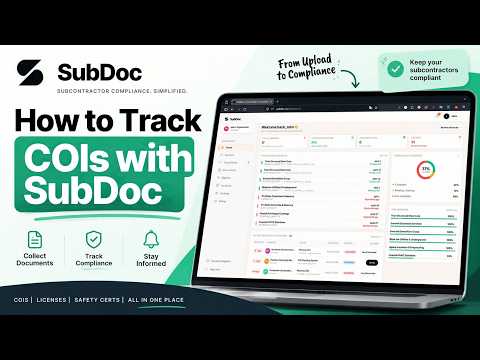
Watch: SubDoc Automated Compliance & Verification in Action
A 3-minute visual walkthrough of adding vendors, requesting certificates, automated email reminders, and verifying limits with AI OCR.
Quick Start: Setting Up Your Workspace in 5 Minutes
Everything you need to launch SubDoc: naming your organization, inviting administrators, and importing your first subcontractor.
Workspace Settings & Whitelabel Branding
Customize your company logo, portal theme colors, email banner preview, and mandatory Certificate Holder wording.
Team Members, Roles & Workspace Access (Owner, Admin, Accounting, Treasury, Member, Viewer)
Only the Owner adds people, sets their role, and chooses which workspaces each person can open. Sole-owner safeguards included.
Multi-Workspace Management & Switching
How to manage distinct entities, subsidiaries, or regional divisions using isolated SubDoc workspaces.
Adding a Single Vendor Profile
Step-by-step guide to adding an individual contractor, setting primary contacts, and choosing requirement templates.
Bulk CSV Vendor Import & Formatting Guide
Import hundreds of subcontractors at once using CSV spreadsheets, with automated validation and error previewing.
Understanding the Vendor Health Score (0–100)
How SubDoc dynamically calculates contractor compliance health from 0 to 100 based on active policies and expiration dates.
Setting Payment Holds on At-Risk Vendors
Manually freeze invoice payouts for disputed vendors and export payment-hold rosters to QuickBooks or Sage.
Creating & Customizing Requirement Templates
Build tailored insurance requirement rule sets for different contractor tiers, trades, or risk profiles.
Configuring Policy Limits & Sub-Limits
How to set dollar thresholds for Each Occurrence, General Aggregate, Products/Completed Operations, Combined Single Limit, and Employers Liability.
Mandatory Endorsement Rules (Additional Insured, Waiver of Subrogation, P&NC)
Enforce Additional Insured (CG 20 10 / CG 20 37), Waiver of Subrogation, and Primary & Non-Contributory endorsements.
Setting Up Non-Insurance Requirements (W-9, Trade Licenses, Safety Plans)
How to mandate tax forms, state contractor licenses, safety certifications, and custom compliance files.
How Vendors Upload Documents (Passwordless Vendor Portal)
How subcontractors access their secure, zero-login upload checklist to submit ACORD 25 certificates and business documents.
Broker Delegation: Letting Insurance Agents Upload Directly
Allow subcontractors to delegate COI requests directly to their insurance broker or agent with one click.
The 10-Minute Upload Retraction Grace Period
How subcontractors can retract and replace an accidentally uploaded file within 10 minutes before review begins.
AI OCR Scanning & Field Extraction (ACORD 25 / 28)
How SubDoc parses multi-page insurance certificates to extract carriers, policy numbers, effective/expiration dates, sub-limits, and endorsements.
Side-by-Side Review Screen & Pass/Fail Limit Verification
How to verify uploaded certificates side-by-side with OCR data, review Pass/Fail limit badges, and check Additional Insured wording.
Combined ACORD 25 Review (Approving Multiple Policies in One Click)
How one uploaded ACORD 25 certificate carrying multiple coverages resolves all underlying sibling requests in a single approval action.
Rejecting a Document & Automated Vendor Notification
How to reject invalid certificates with pre-set reasons and custom notes, automatically emailing the subcontractor with a re-upload link.
Granting Temporary Waivers & Compliance Overrides
How to grant temporary compliance extensions or waivers for trusted subcontractors while waiting on updated paperwork.
Creating a Signing Template & Uploading PDFs
Upload PDF agreements, subcontracts, and onboarding packets into SubDoc to create reusable signing templates.
Placing Form Fields: Signatures, Initials, Date, Text, Checkboxes & Checkmarks
Visual drag-and-drop field editor guide covering all 7 field types, sizing, role assignment, and sender pre-filling.
Configuring Comb Fields (SSN / EIN Grouped Character Grids)
Place and configure character-divided comb boxes with custom grouping patterns (e.g. 3-2-4 for SSN, 2-7 for EIN).
Setting Up Multi-Signer Roles & Sequential Signing Order
Configure up to 8 signing roles across internal teammates, vendor contacts, and custom email addresses with sequential routing.
Sending a Signature Request or Multi-Document Packet
How to dispatch single templates or bundled signing packets to subcontractors with custom messages and due dates.
The Signer Experience (Drawing, Typing, Blue/Black Ink, Declining)
What signers experience when opening a signing link: drawing or typing signatures, ink colors, comb fields, and declining.
Completed Documents, Auto-Filing to Vendors & Audit Trail Verification
How completed signing requests flatten into secure PDFs, append SHA-256 audit certificates, and auto-file to vendor profiles.
Creating Projects & Assigning Subcontractors
Organize subcontractors by job site or general contract, assign contract values, and manage project documents.
Project Compliance Overview & Expiration Tracking
Monitor project-specific compliance percentages, active contractor policies, and upcoming expirations by job.
1-Click Batch Reminders for Non-Compliant Project Subcontractors
Chase all non-compliant or expiring subcontractors on a specific job site with a single click.
Managing Contract Values, Change Orders & Project Documents
Log contract value adjustments, upload signed change order files, and maintain job document repositories.
Invoicing & Accounts Payable (AP) Overview
The end-to-end invoice lifecycle: requesting bills, subcontractor upload, compliance checks, AP approvals, and payment issuance.
Requesting Invoices from Subcontractors
How Project Directors issue invoice requests tied to projects and contract values.
Subcontractor Invoice Submission via Portal
How subcontractors upload invoices, specify invoice numbers, and track approval status without logging in.
Invoicing Review Queue: Submitting for Payment vs Declining
Review submitted invoices against Exhibit A terms, submit approved bills to Accounts Payable, or decline with feedback.
Accounts Payable (AP) Queue & Marking Invoices Paid
The Accounts Payable queue: checking final compliance blocks, issuing payment confirmation, and un-approving misclicks.
Automated Compliance Gate: How Non-Compliant Vendors are Blocked from Payment
Understand SubDoc's strict 3-way compliance lock that halts payouts when insurance expires or payment holds are active.
How Expiration Alerts Work (90, 60, 30, 14, 7 Days & Expired)
SubDoc emails your team automatically before vendor insurance and documents expire. Vendors are only emailed when you send them a reminder.
Customizing Renewal Notification Schedules
Turn specific alert intervals on or off to set when your team is emailed before an expiration.
Scheduled Executive PDF Compliance Digests (Weekly & Monthly)
Receive whitelabeled PDF compliance digests summarizing active risk, upcoming expirations, and review queues in your inbox.
Connecting & Configuring QuickBooks Online (Two-Way Sync)
Connect your QuickBooks Online company to automatically sync vendor records, attach COIs, and write back compliance status.
QuickBooks Vendor Matching, Staged Import & Write-Back Settings
How SubDoc matches QuickBooks vendors (Exact, Likely, New) and writes compliance notes, COI attachments, and payment hold statuses back to QBO.
Syncing Expirations to Google Calendar
Keep your team aligned by automatically syncing upcoming and overdue policy expirations to your Google Calendar.
Exporting Payment Hold CSVs for QuickBooks & Sage
Generate a clean payment-hold list for accounting systems to ensure no non-compliant subcontractors are paid.
Plan Tiers (Starter vs Pro vs Advanced) & Usage Quota Tracking
Understand capacity limits for tracked vendors, team seats, workspaces, AI OCR extractions, and document signings.
Managing Subscriptions & Invoices via Paddle Customer Portal
How to upgrade plans, update payment credit cards, and download sales tax / VAT receipts through the Paddle Customer Portal.
Troubleshooting: Why is a Vendor Still Marked Non-Compliant?
The top 5 reasons a subcontractor shows non-compliant even after documents have been uploaded, and how to fix them.
Troubleshooting: Why is an Invoice Payment Blocked?
Diagnose and resolve PAYMENT_BLOCKED errors in Accounts Payable due to expired insurance, missing endorsements, or manual holds.
Troubleshooting: Resolving Expired Portal Links & Reminders
What to do when a subcontractor reports an expired portal or signing link, and how to reissue fresh tokens.
Troubleshooting: Resolving OCR Extraction Discrepancies
How to handle low-resolution scans, unprinted policy numbers, or uncommon carrier names during document review.
Have a question not answered in the documentation?
Our team is available Monday through Friday. Average response time is about 6 hours.