Vendor Insurance Verification: Automated Compliance & Complete Guide
Ensure every subcontractor, trade partner, and supplier maintains verified General Liability, Workers' Comp, and Commercial Auto insurance before stepping on your jobsite.
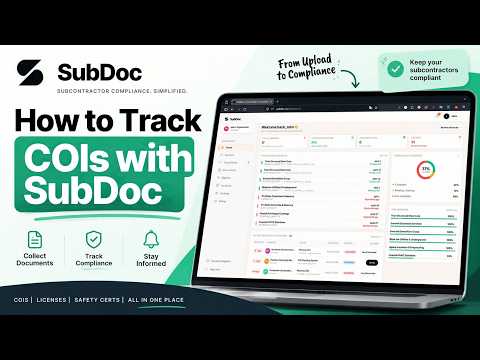
Watch: How SubDoc automates vendor insurance verification in under 60 seconds.
What Is Vendor Insurance Verification?
Vendor insurance verification is the systematic compliance process of collecting, inspecting, and continuously validating third-party Certificates of Insurance (COIs) and policy endorsements to ensure suppliers and contractors meet contractual coverage requirements.
Whenever a general contractor, property manager, or corporation hires a third-party vendor, liability exposure is created. If an uninsured subcontractor causes a catastrophic jobsite fire, damages utility lines, or sustains a severe employee injury, the hiring company faces vicarious liability and lawsuits.
A comprehensive verification process confirms that coverage is currently active, liability limits meet contractual mandates, required Additional Insured endorsements are legally attached, and insurance carriers maintain sound financial strength.
The 7-Step Vendor Insurance Verification Checklist
Follow this step-by-step standard operating procedure to eliminate coverage gaps, endorsement omissions, and audit penalties.
Collect and Validate the Official ACORD 25 Certificate
Request the certificate directly from the vendor's licensed commercial insurance broker rather than accepting forwarded PDFs from subcontractors.
Always ensure the certificate is on a standard ACORD 25 form (or ACORD 855 for New York construction projects). Look for the broker's authorized representative signature and state license information.
Match Named Insured to the Exact Legal Contract Entity
Verify that the 'Named Insured' matches the exact legal corporate entity specified on your Subcontract Agreement or Master Service Agreement (MSA).
Common loophole: subcontractors operating under a DBA or subsidiary often submit certificates showing a parent or shell company. If the legal entity on the jobsite does not match the Named Insured on the ACORD 25, the insurance carrier will deny defense.
Audit Coverage Limits Across Core Commercial Policies
Verify that policy limits satisfy or exceed your project-specific contractual thresholds across four primary coverage lines.
Standard baseline: General Liability ($1M Each Occurrence / $2M General Aggregate / $2M Products-Completed Operations); Automobile Liability ($1M Combined Single Limit); Workers' Compensation (Statutory Limits / $1M Employers Liability); and Excess/Umbrella Liability ($1M to $5M+).
Enforce Mandatory Policy Endorsements (CG 20 10 & CG 20 37)
A Certificate of Insurance is merely informational. Your company MUST be named as an Additional Insured via formal policy endorsement riders.
Verify both ISO Form CG 20 10 (Ongoing Operations) AND CG 20 37 (Completed Operations), or their company-specific equivalents. Ensure the policy includes a Waiver of Subrogation (ISO Form CG 24 04) and Primary & Non-Contributory wording.
Validate Certificate Holder Wording & Notice of Cancellation
Ensure your company is formally designated as the Certificate Holder with your exact legal entity name and corporate mailing address.
Require written endorsement specifying a 30-day Notice of Cancellation (10 days for non-payment of premium) to prevent the carrier from canceling coverage mid-project without your notification.
Check Carrier Financial Strength via AM Best (A- or Better)
Verify that all underwriting insurance carriers possess an AM Best financial strength rating of 'A-' (Excellent) or higher and a Financial Size Category of Class VII or greater.
Certificates backed by unrated risk-retention groups (RRGs) or insolvent carriers leave you unprotected when catastrophic claims occur.
Establish Continuous Expiration Tracking & AP Payment Holds
Automate background expiration monitoring 60, 30, and 7 days prior to lapse, and enforce 1-click payment holds in your accounting software.
Never allow accounts payable to cut checks to trades with lapsed insurance. Automating payment holds in QuickBooks or Sage CRE gives your team maximum leverage to receive updated renewal certificates before work proceeds.
Top 5 Red Flags in Vendor Certificates of Insurance
Watch for these common discrepancies, fraudulent edits, and critical endorsement omissions before approving vendor compliance. For the full list of 12 warning signs and the producer call that settles it, see how to spot a fake certificate of insurance.
Missing Completed Operations Endorsement
The certificate shows Additional Insured status for ongoing work, but omits CG 20 37. If construction defect or structural failure claims arise after project handoff, the carrier denies defense.
Named Insured Discrepancies (DBA vs LLC)
The subcontract is signed by 'Apex Plumbing LLC', but the COI is issued to 'Apex Services Inc.' Carrier claims adjusters routinely reject claims due to entity mismatch.
Workers' Comp Exclusion Clauses (Ghost Policies)
Sole-proprietor subcontractors presenting an ACORD 25 with an excluded owner. If an injury occurs on your jobsite, statutory workers' comp liabilities fall directly on the general contractor.
Suspicious PDF Modifications & Inconsistent Fonts
Forged expiration dates or altered policy limits edited using consumer PDF editors. Common telltales include mismatched fonts, misaligned text, or altered dates.
Unrated or Insolvent Surplus Lines Carriers
Policies issued by non-admitted offshore carriers or low-rated risk retention groups without adequate reserves to pay catastrophic construction claims.
Standard Commercial Insurance Limits by Trade Type
Baseline recommended coverage limits across core commercial construction, trade artisan, and commercial tenant tiers.
| Vendor / Trade Tier | General Liability | Auto Liability | Workers' Comp | Umbrella / Excess |
|---|---|---|---|---|
General Construction / Tier-1 TradesFraming, Concrete, Structural Steel, Roofing | $2,000,000 / $4,000,000 | $1,000,000 CSL | Statutory / $1,000,000 | $5,000,000+ |
Standard Artisan TradesElectrical, Plumbing, HVAC, Drywall, Painting | $1,000,000 / $2,000,000 | $1,000,000 CSL | Statutory / $1,000,000 | $1,000,000 – $2,000,000 |
Low-Hazard Suppliers & VendorsMaterial Delivery, Janitorial, Landscaping | $1,000,000 / $2,000,000 | $1,000,000 CSL | Statutory / $500,000 | Optional / $1,000,000 |
Commercial Tenants & Facility OccupantsRetail Tenants, Office Leases, Food Service | $1,000,000 / $2,000,000 | Optional / $1,000,000 | Statutory / $500,000 | $1,000,000 – $5,000,000 |
Automate Vendor Verification with SubDoc
Inspect how SubDoc combines instant 5-second AI OCR parsing with real-time discrepancy alerts.
1. Real-Time Compliance Dashboard
Live Score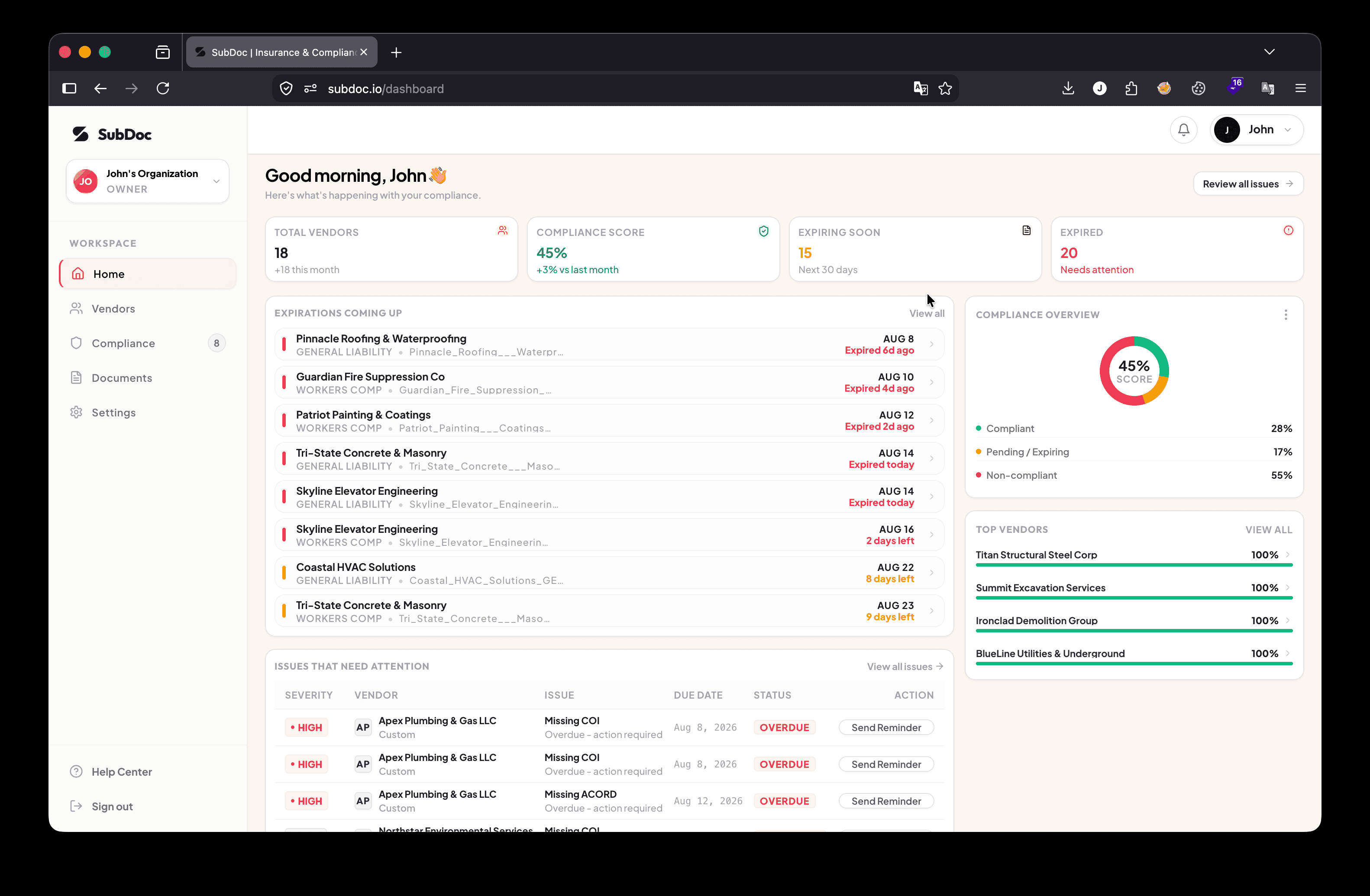
Track compliance percentages, active vendors, and 30-day expirations across active projects.
2. Verification Alert & OCR Review
Deficiency Alert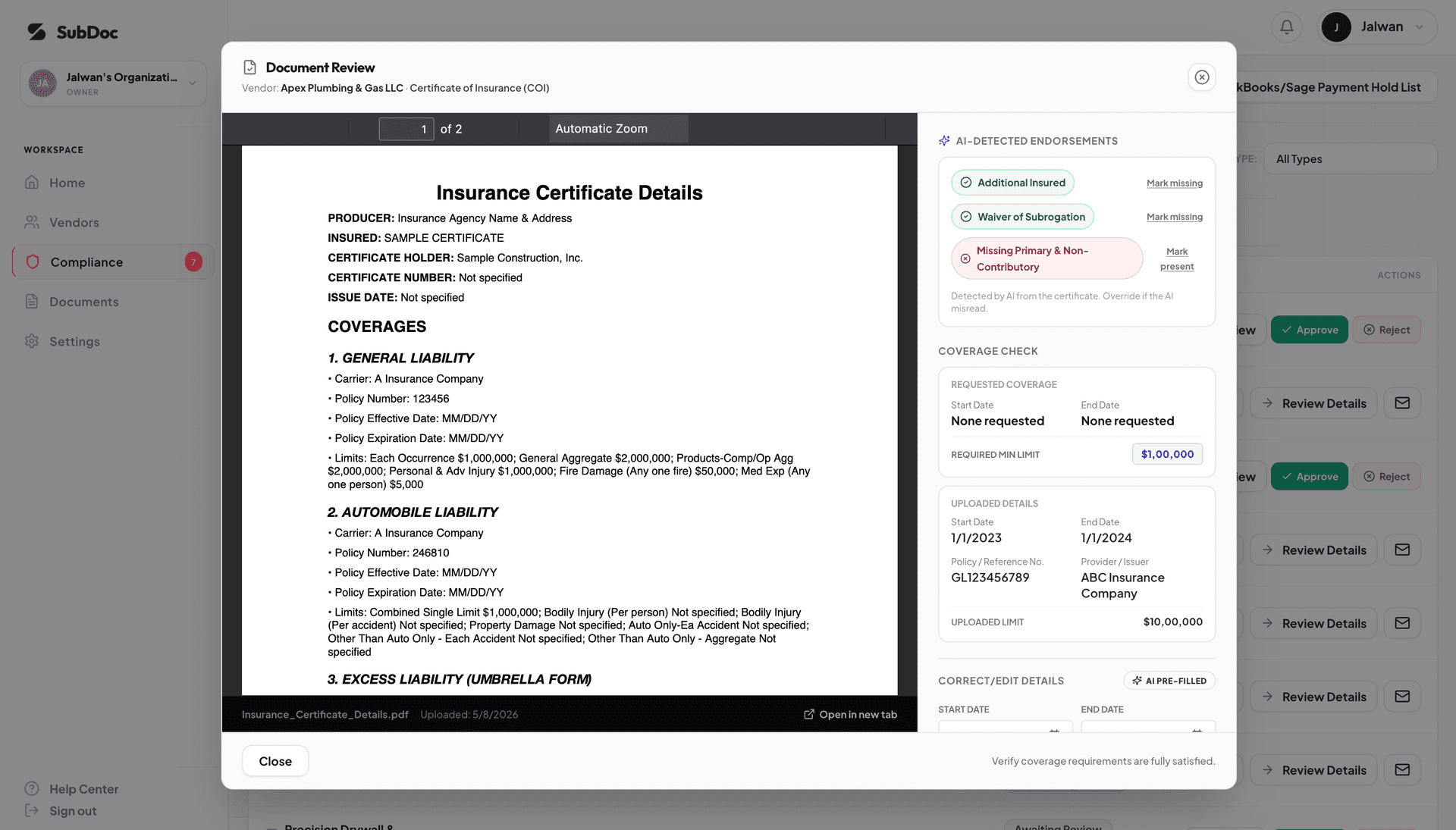
Automated red alert box immediately highlights policy limit shortfalls before approval.
Automate Vendor Insurance Verification in 5 Minutes
Stop typing policy numbers into spreadsheets. SubDoc parses ACORD 25 certificates in 5 seconds, alerts brokers automatically, and exports payment holds with a single click.
Frequently Asked Questions About Vendor Insurance Verification
Vendor insurance verification software is a dedicated compliance platform that automates the collection, AI OCR extraction, policy limit validation, endorsement checking, and continuous renewal tracking of Certificates of Insurance (COIs) from subcontractors, suppliers, and commercial tenants.
SubDoc utilizes a specialized computer vision and AI OCR engine trained on commercial insurance forms. When a subcontractor or insurance agent uploads a PDF via a passwordless magic link, SubDoc extracts policy numbers, carrier names, effective dates, expiration dates, liability limits, and verifies attached endorsement schedules in under 5 seconds.
An ACORD 25 Certificate of Insurance is only an informational summary. Without verified endorsement riders (specifically ISO CG 20 10 for Ongoing Operations and CG 20 37 for Completed Operations) legally attached to the policy, insurance carriers routinely deny Additional Insured coverage when construction defect or bodily injury lawsuits arise.
SubDoc continuously monitors vendor compliance status and generates 1-click payment hold files formatted for QuickBooks Online, QuickBooks Desktop, Sage 100 Contractor, Sage 300 CRE, and Procore. When a vendor's policy expires, accounts payable pauses check runs until an updated certificate is verified.
No. SubDoc is 100% free for subcontractors ($0 vendor fee). Contractors send secure, passwordless magic upload links. Trade contractors forward the link directly to their insurance broker, who uploads the certificate in under 60 seconds from any phone or computer without creating an account or memorizing passwords.
During annual Workers' Compensation and General Liability insurance premium audits, auditors demand valid proof of coverage for every trade. If an ACORD 25 has expired or lacks statutory limits, auditors reclassify 100% of that subcontractor's contract payments as internal payroll, assessing thousands in retroactive penalty premiums. SubDoc maintains an audit-ready historical vault to prove compliance instantly.
Related Compliance Guides & Verification Resources
Explore our technical SOPs and contractor risk management frameworks to safeguard your active jobsites.
ACORD 25 Inspection Checklist
Box-by-box guide to verifying certificate limits, policy numbers, and expiration dates.
CG 20 10 vs CG 20 37 Endorsements
The difference between ongoing operations and completed operations Additional Insured coverage.
How to Hold Subcontractor Payments
Standard operating procedures for managing AP payment holds when vendor insurance expires.
How to Track Subcontractor Insurance
Complete GC workflow for tracking hundreds of trade contractors across simultaneous jobsites.
Contractor Insurance Audit Penalties
How unverified COIs turn into costly retroactive workers' comp premium charges.
COI Tracking Software
Automate certificate collection, AI OCR extraction, and multi-tier expiration tracking.