Insurance Tracking Software: The Practical Guide for General Contractors
Insurance tracking software collects Certificates of Insurance (ACORD 25), verifies coverage limits and endorsements against contract rules, tracks expiration dates, and flags accounts payable to hold checks when coverage lapses.
General contractors and property managers manage dozens of renewal dates every month. Spreadsheets and shared folders sound simple until someone misses an expired workers' comp policy or an overlooked endorsement triggers a costly back-premium on your annual insurance audit. This guide walks through how automated tracking works, how it compares to spreadsheets and cloud drives, and what to look for when evaluating tools.
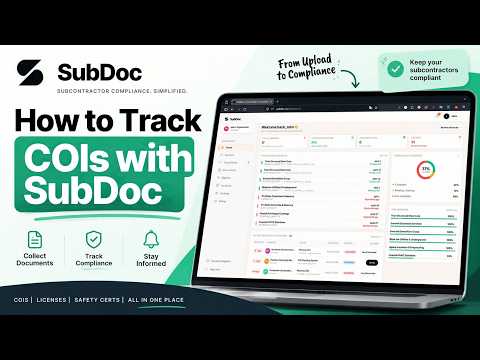
Watch: How to automate insurance tracking in under 60 seconds.
What Does Insurance Tracking Software Do and Who Needs It?
When you hire a trade partner to step onto your jobsite, their insurance protects your business from third-party property damage and bodily injury claims. If an uninsured plumbing or framing sub causes a loss, your general liability policy absorbs the hit. Worse, state workers' comp auditors will reclassify every dollar paid to uninsured subs as direct payroll, billing you the difference.
Insurance tracking software automates compliance gatekeeping so you always know who is cleared to work:
Automate ACORD 25 verification, check Additional Insured coverage, and prevent non-compliant subs from working on active jobs.
Track recurring service vendors (HVAC, janitorial, roofing) and commercial tenants to satisfy property owner and lender requirements.
Track your own lower-tier subs as vendors, check their certificates against the requirements your GC passed down, and hold their pay until they’re compliant.
Why Cloud Drives and Spreadsheets Break Down
Most general contractors start by tracking insurance in Excel or dropping PDFs into Google Drive. That works fine when you have five trade partners. Once you manage twenty or fifty, manual tracking creates serious operational cracks:
| Method | Document Intake | Data Extraction | Expiration Tracking | Endorsements | AP Payment Hold |
|---|---|---|---|---|---|
| Cloud Storage (Google Drive / Dropbox) | Manual email downloads and folder sorting | None (staff must read every PDF) | None (relies on calendar alerts) | None (easy to miss missing forms) | None |
| Spreadsheets (Excel / Google Sheets) | Manual typing of policy dates and limits | None (prone to typos and transpositions) | Static formulas that someone has to check | Manual notes with no document verification | Sticky notes or emails sent to accounting |
| Insurance Tracking Software (SubDoc) | Passwordless magic links ($0 vendor fees) | 5-second AI OCR limit and date parsing | Automatic team alerts at 90, 60, 30, 14, and 7 days + 1-click vendor reminders | AI check of Additional Insured, Waiver of Subrogation, and Primary & Non-Contributory | 1-click CSV payment hold export for accounting |
For contractors evaluating small-team solutions, read our breakdown of the Best COI Tracking Software for Small General Contractors.
Five Capabilities to Expect from Modern Tracking Platforms
1. Passwordless Document Intake
Subcontractors hate creating new portal accounts, remembering passwords, or paying vendor registration fees. Magic links let subs and their insurance brokers drag and drop renewed COIs directly from their phone or laptop in 30 seconds.
2. AI OCR Policy Limit Extraction
Modern optical character recognition scans ACORD 25 certificates in 5 seconds. It pulls policy numbers, effective dates, and checks occurrence and aggregate limits ($1M occurrence, $2M aggregate, $1M commercial auto) against your project threshold.
3. Automated Expiration Tracking & Reminders
Instead of setting calendar alerts and manually typing follow-up emails, the system alerts your team at 90, 60, 30, 14, and 7 days out. One click then emails the vendor a direct upload link they can forward to their broker, so the replacement certificate arrives before the old one lapses.
4. Endorsement Verification
A certificate of insurance is only an informational summary. True legal protection comes from policy endorsements. The software verifies Additional Insured forms (CG 20 10 for ongoing operations, CG 20 37 for completed operations), Waiver of Subrogation (CG 24 04), and Primary & Non-Contributory clauses.
5. Accounts Payable Payment Hold Enforcement
The most effective way to get an updated certificate is holding invoice checks. When a policy expires, the system flags the vendor and exports a payment hold file for QuickBooks or Sage so accounting pauses disbursements until documents are renewed.
5-Step Implementation Sequence for Construction Teams
Transitioning from spreadsheets to automated insurance tracking takes less than a day when you follow these five steps:
Set Up Coverage Rules and Trade Templates
Define standard templates based on trade risk: $1M/$2M general liability, statutory workers comp, auto liability, and required endorsements.
Import Your Subcontractor and Vendor List
Upload your current trade roster via CSV, including primary contacts, email addresses, and assigned jobsites.
Send Magic Links to Subs and Brokers
Send secure upload links. Subcontractors or their insurance agents drag and drop certificates without creating accounts or passwords.
Review AI Extraction Flags
The system reads limits, dates, and endorsements in seconds, highlighting deficiencies such as missing completed operations coverage.
Connect Accounts Payable Payment Holds
Export payment hold lists into QuickBooks or Sage so accounts payable holds checks for any trade partner with expired insurance.
Insurance Tracking Software Buyer's Evaluation Checklist
Before signing up for a vendor compliance platform, ask these five practical questions:
- Does the platform charge subcontractors? Look for tools with zero vendor fees. Charging subs creates friction and delays jobs.
- Can the sub forward the upload link directly to their broker? Most subcontractors do not hold their own policies; their insurance agent handles the upload.
- Does it verify endorsements or just read the expiration box? Make sure the tool inspects Additional Insured (CG 20 10 / CG 20 37) and Waiver of Subrogation forms.
- Can you hold invoice payments in accounting? The software should generate simple exports for QuickBooks or Sage to prevent paying non-compliant trades.
- Is pricing transparent and published? Avoid vendors that hide pricing behind mandatory sales calls and high annual minimum contracts.
Frequently Asked Questions
Certificate of insurance (COI) tracking software automates collecting, verifying, storing, and monitoring insurance certificates for subcontractors, vendors, and tenants. It scans ACORD 25 forms with AI OCR, compares limits and endorsements against contract rules, tracks expiration dates, and sends renewal notices before coverage lapses.
Google Drive and Excel are passive. They store files and rows of text, but they cannot read insurance limits, verify policy endorsements, send automated renewal emails to brokers, or flag accounting to pause payments. Insurance tracking software actively reviews documents, monitors expirations, and enforces compliance holds.
Optical character recognition scans the uploaded certificate and extracts policy numbers, carrier names, effective dates, expiration dates, and coverage limits. It also checks for required endorsements like Additional Insured (CG 20 10 and CG 20 37) and Waiver of Subrogation.
Most commercial construction contracts require Commercial General Liability ($1M occurrence / $2M aggregate), Commercial Auto Liability ($1M combined single limit), Workers' Compensation (statutory limits), and Umbrella or Excess Liability ($1M to $5M depending on project scope).
Subcontractors often ignore document requests when forced to register accounts, memorize passwords, or pay vendor fees. Passwordless magic links let subs and their insurance agents upload certificates directly from a phone or computer in seconds.
When a subcontractor's policy expires, the system flags the account and exports a payment hold file for QuickBooks or Sage. Accounts payable holds pending checks until the sub provides an active, verified certificate.
Automate Your Vendor Insurance Tracking with SubDoc
Replace manual spreadsheets with 5-second AI OCR extraction, passwordless upload links, zero vendor fees, and 1-click accounting payment hold exports.