1. The 6 Core Types of Construction Documents
Every contractor manages many types of files. Below is a simple breakdown of the six groups. Each group needs different features from your compliance document management software setup. In other words, no single tool does it all.
1. Drawings & Plan Sets
Blueprints, structural sheets, MEP designs, and markups. Key need: version control and mobile offline access for field crews.
2. RFIs & Submittals
Requests for info, product data sheets, shop drawings, and approvals. Key need: audit logging and response tracking.
3. Contracts & Change Orders
Owner contracts, MSAs, and signed change orders. Key need: secure e-signatures and legal audit trails.
4. Field Reports & Safety Logs
Safety logs, toolbox talk rosters, incident reports, and daily manpower logs. Key need: mobile photo capture with timestamps.
5. Closeout & Handover Packages
As-built drawings, O&M manuals, and warranties for property owners. Key need: final project archive and handover.
6. Insurance & Compliance Records
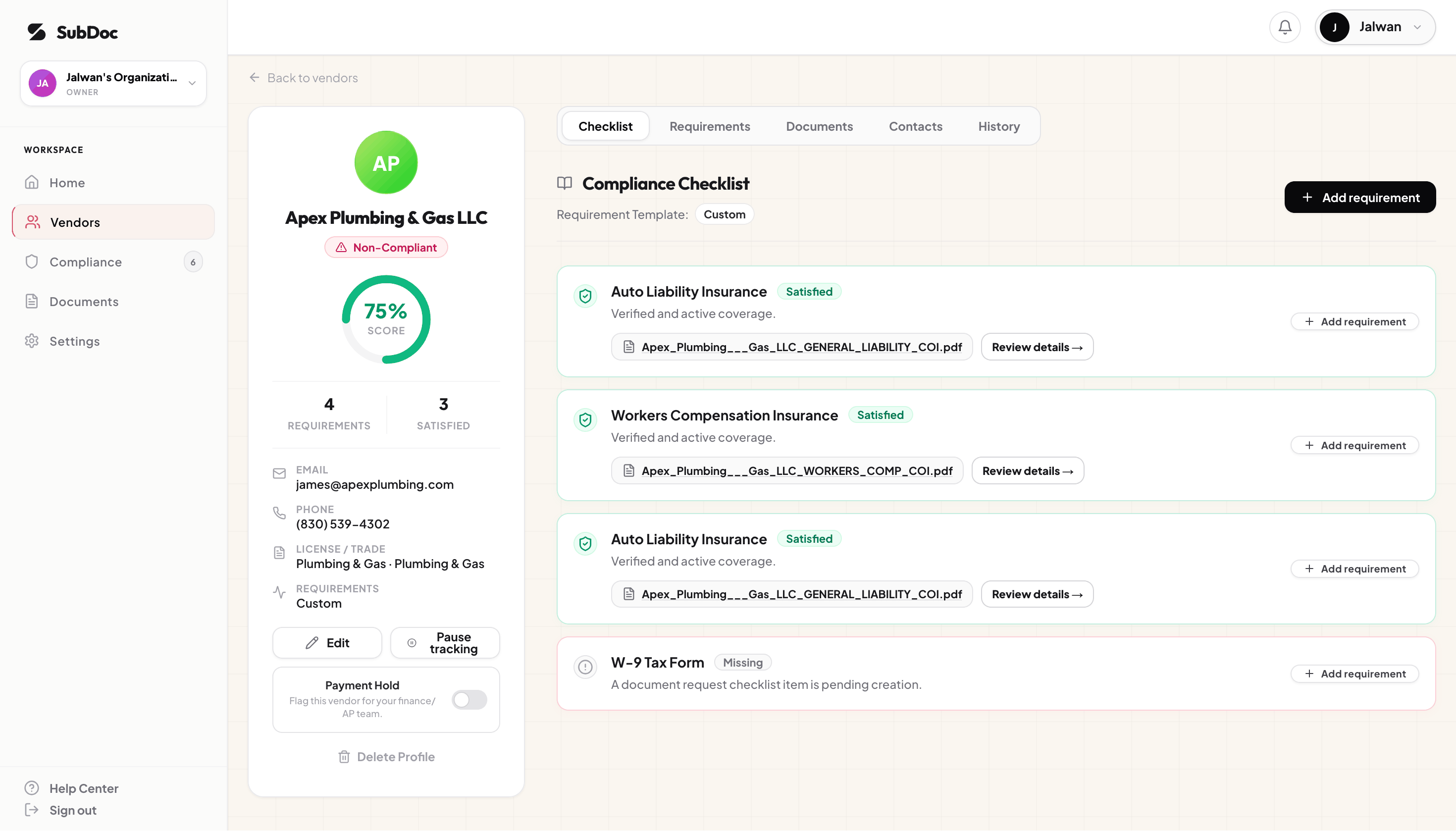
ACORD 25 COIs, endorsements (CG 20 10 / CG 20 37), trade licenses, and W-9s. Key need: auto expiry tracking and AI OCR.
2. The 3 Layers of a Modern Construction Tech Stack
No single tool handles both BIM drawings and insurance expiry dates well. As a result, most firms use a three-layer stack for their document management software needs. Here is how each layer works:
Layer 1: Project DMS & Drawing Management
Examples: Autodesk, Procore, Fieldwire, Bluebeam.
What it does: It handles blueprint versioning, RFI tracking, and offline mobile access for field crews. This is the core document management software that construction teams buy first.
Limitation: However, these tools treat COIs like static PDFs. They lack OCR parsing and auto broker alerts. As a result, compliance gaps can grow without anyone noticing.
Layer 2: General Cloud Storage
Examples: Google Drive, SharePoint, Dropbox.
What it does: It provides low-cost bulk storage, shared folders, and bid archives.
Limitation: Cloud storage is totally passive. It cannot track expiry dates or parse COI data. For more details, see our guides on SubDoc vs. Google Drive and SubDoc vs. Spreadsheets.
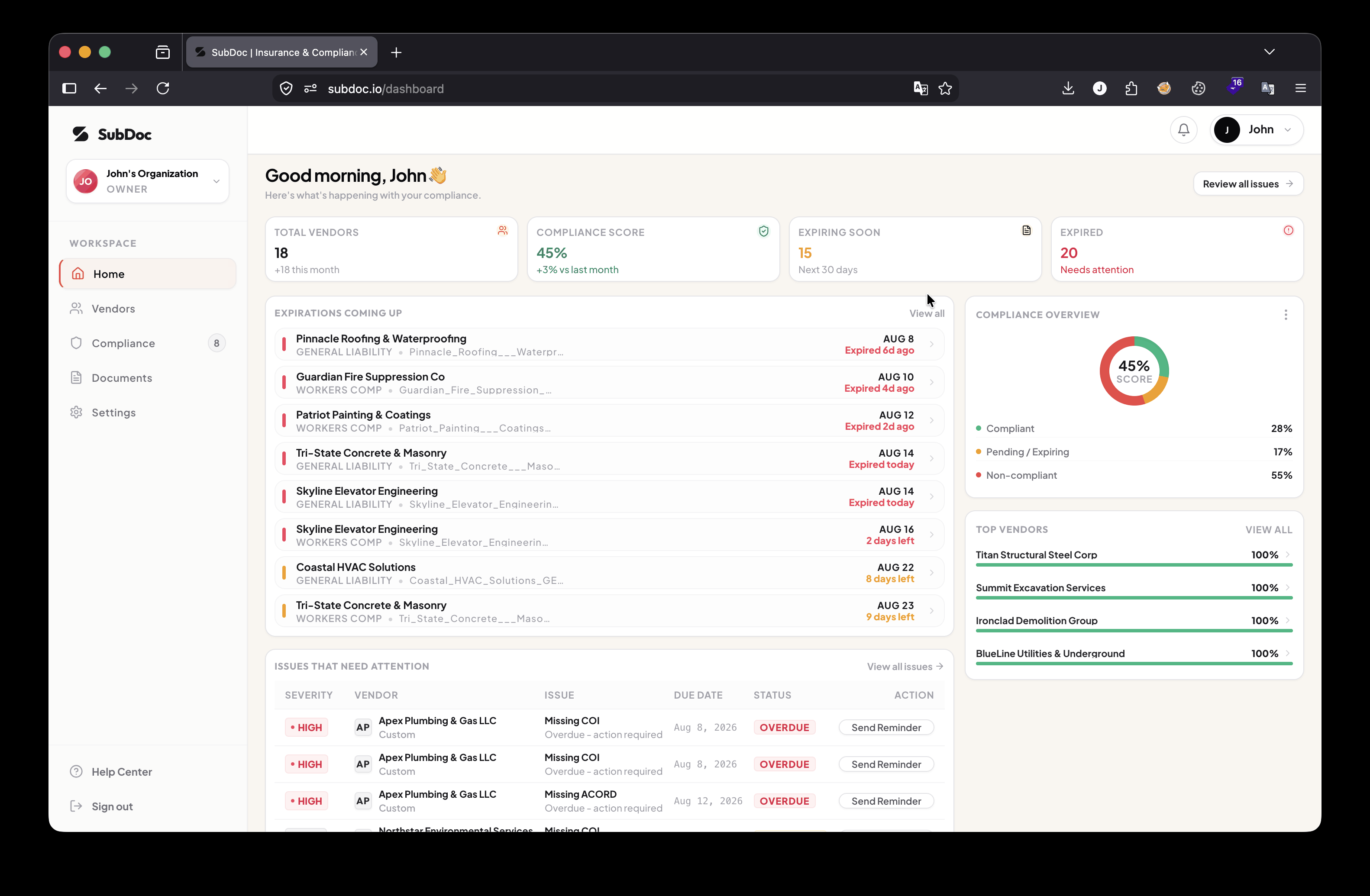
Layer 3: Compliance & Insurance Automation
Examples: SubDoc.
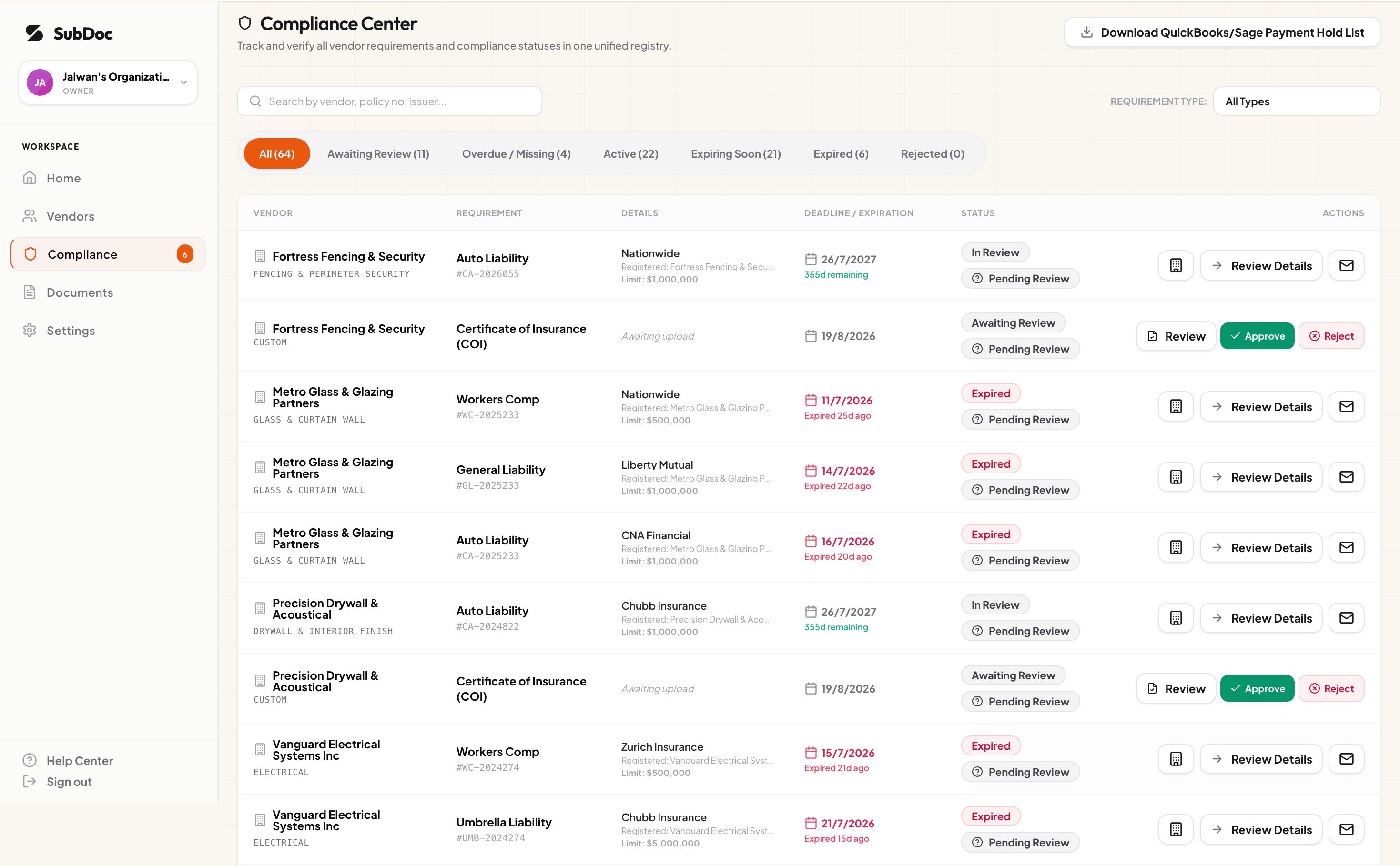
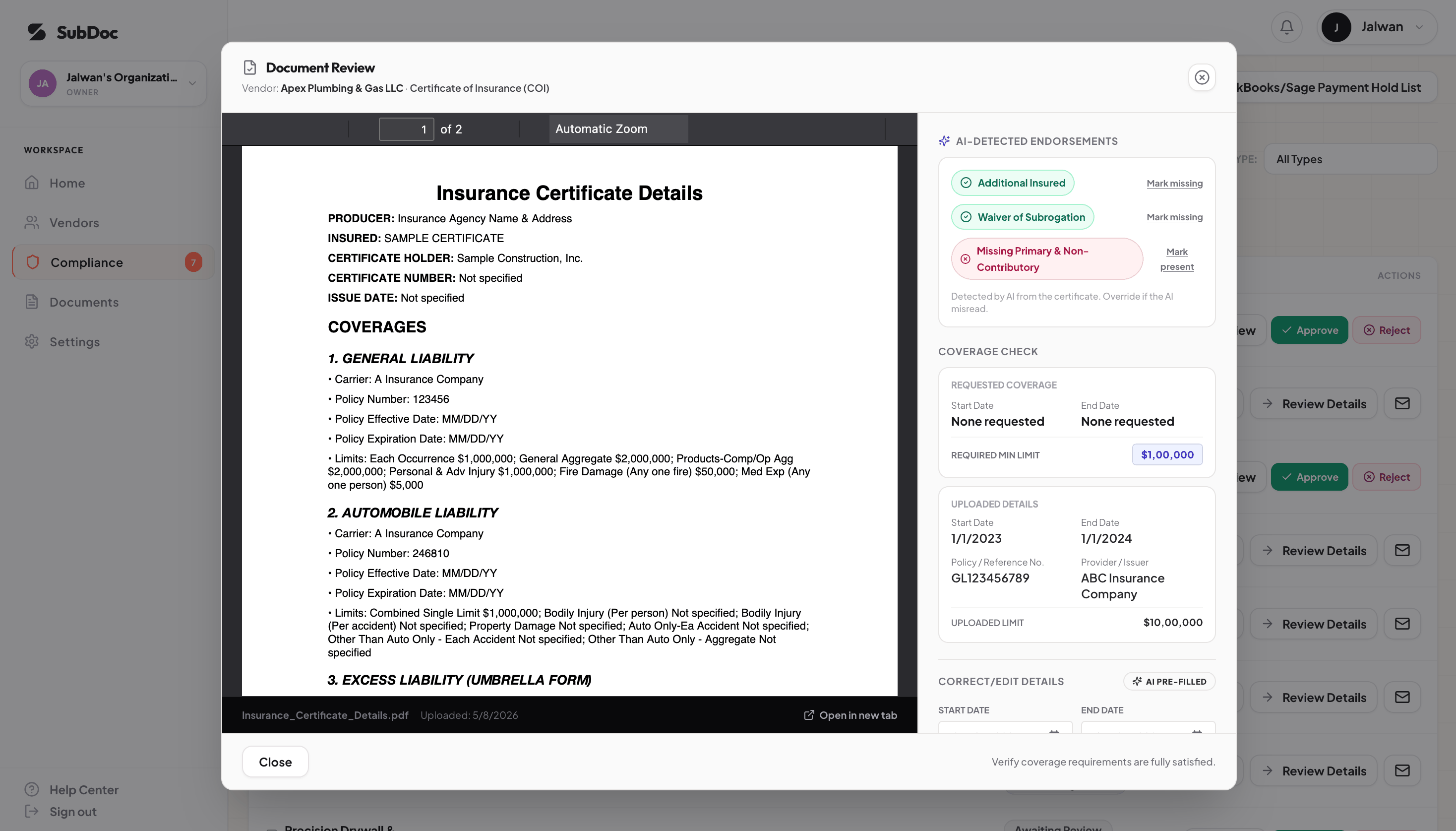
What it does: It collects COIs automatically, runs 5-second AI OCR checks, verifies endorsements (CG 20 10 / CG 20 37), and sends expiry reminders.
How it fits: SubDoc works alongside your existing document management software setup. It closes the insurance gap without replacing your drawing tools.
3. The Compliance Gap in Standard Document Management Systems
Why does most document management software that construction firms buy still fail at tracking vendor insurance? There are three main reasons. Let's break them down:
Annual Policy Expiration
Unlike drawings, insurance COIs expire each year. However, passive storage cannot chase brokers for renewals. As a result, policies lapse without anyone knowing.
Endorsement Language
A Certificate Holder box does not give real coverage. In addition, courts need endorsements like Additional Insured and Waiver of Subrogation. General storage cannot read these.
Audit Reclassification
During insurance audits, auditors add penalties for payments to subs with missing COIs. Therefore, your compliance document management software stack must include active compliance tracking.
4. When to Add Compliance Software to Your Stack
Check your current setup against these triggers. If any of them apply to you, it is time to add compliance tools to your compliance document management workflow:
- You manage more than 5 active subs: Tracking expiry dates in spreadsheets gets too hard. As a result, you need compliance document management tools with auto alerts.
- Your office spends 10+ hours a month chasing renewals: If your staff spend hours emailing subs and brokers, auto-reminder tools will save time right away.
- You have faced audit surcharges: When an audit reclassifies a sub's payments as your payroll, compliance tools pay for themselves. In other words, the tool costs less than the penalty.
Construction Document Management FAQ
Close the Compliance Gap in Your Construction Document Stack
Keep your drawing tools for plans. Then, use SubDoc to automate COIs and licenses. It fills the gap most document management software that construction firms rely on misses.
Free forever for up to 3 vendors • Zero subcontractor fees • Live in 15 minutes