Free operations template
Subcontractor Insurance Audit Checklist and Free Worksheet
Match payments and work dates to the evidence you can actually produce.
By SubDoc Editorial Team · Published October 28, 2026
Start with a payment-to-evidence worksheet
A subcontractor insurance audit checklist should connect the people you paid with the work they performed and the insurance evidence available for that period. Start from your accounting records, then review each subcontractor's documents. A folder full of current COIs is not the same as an organized response to an audit of an earlier policy term.
Download the free subcontractor audit worksheet (CSV). It opens in Excel or Google Sheets and needs no signup. The first row is a fictional example; delete it before entering your records. This is an administrative preparation tool, not an insurer form or a premium calculator.
Use your insurer's actual document request to decide what to submit. This guide covers the subcontractor portion of a workers' compensation or general liability premium-audit packet; it does not replace the employee payroll, tax or other records your auditor requests.
Subcontractor insurance audit checklist
- Confirm the audit scope. Record the policy, named business, start and end dates, requested records, submission method and due date from the actual notice.
- Reconcile the vendor list. Compare subcontractor payments with the general ledger and supporting invoices. Identify duplicates, name differences and unexplained totals.
- Describe the work. Record the project, work state, actual work dates and service provided. Keep the source reference for each entry.
- Retrieve period-specific evidence. Find the applicable WC and GL documents and renewals. Match the insured entity and reported dates to the work being reviewed.
- Keep unresolved items visible. Record missing documents, conflicting names or dates, an owner and the next action. Do not turn an unknown into an approval.
- Review and submit securely. Ask the designated reviewer to check the packet, follow the insurer's instructions and retain what was submitted and its receipt.
These are suggested preparation steps. They do not determine worker status, coverage, the correct classification or the premium owed.
What records should you gather for subcontractors?
Travelers' audit guidance asks for subcontractor work descriptions, work states and dates, amounts paid, materials costs, information about hired help and COIs for the dates worked, where applicable. Its guidance also says additional requests can vary by state. Treat that as a carrier example, then check your own request.
| Worksheet group | Source to retain | Question to resolve |
|---|---|---|
| Vendor and work | Agreement, work records and vendor record | Which legal entity performed which work, where and when? |
| Payments and materials | Ledger report, payment references and itemized invoices | Can the reviewer trace each reported amount without counting it twice? |
| Insurance evidence | Issued documents and relevant renewals | Does the evidence identify the right entity and relevant period? |
| Open questions | Request history, response and reviewer notes | What remains unresolved, and who will follow up? |
SECURA's preparation guide also identifies subcontractor payment records, COIs and work performed. The Hartford's checklist includes accounting and tax records as well as subcontractor certificates. Neither a 1099 nor a COI replaces the complete request.
How to fill out the free CSV worksheet
Save an unchanged copy of the blank template. In a working copy, enter the audit policy dates and your internal vendor ID first. Use source references instead of pasting private document contents into a broadly shared spreadsheet.
The suggested row unit is one subcontractor, project and work interval. When the evidence changes during that interval, split the review into additional rows or keep a linked detail sheet. If you split a payment across rows, reconcile the allocated amounts to the original payment. Do not copy the full payment into every row and then sum the sheet.
Enter currency and recorded materials amounts as shown in your source records. A separate materials column preserves information for review; it does not mean the amount can automatically be deducted from an audit basis. Leave a missing amount blank with a question rather than entering zero as a guess.
Use review statuses consistently: Not reviewed, Missing evidence, Question sent, Ready for reviewer and Submitted. These describe your administrative progress. They do not mean the insurer has accepted the evidence or excluded the subcontractor from premium.
Worked example: the latest COI leaves an earlier period unexplained
Suppose fictional Cedar Electrical LLC worked on Demo Project A from March 9 through April 24, 2026. Its invoice totals $18,500, including $6,200 of separately recorded materials. The only WC evidence located starts April 1. Those invented figures appear in the downloadable example row.
The reviewer records a question for March 9 through March 31 and asks the established producer contact for historical issued evidence relevant to that interval. The April document is retained, but it is not treated as evidence for March. The missing earlier document does not, by itself, establish whether the subcontractor was uninsured.
The $6,200 remains a documented invoice amount, not an assumed premium deduction. The worksheet calculates no charge, refund or penalty. Give the auditor the records and unresolved question; ask the insurer or broker how the applicable rules affect the audit.
Retrieve the evidence before packaging the audit response
Search the vendor record for the relevant work-year documents, including earlier certificates and renewal evidence. Keep names and source references consistent so someone outside your team can follow the packet. The SubDoc demo below illustrates a document library with sample records; it does not demonstrate an insurer-approved audit export.
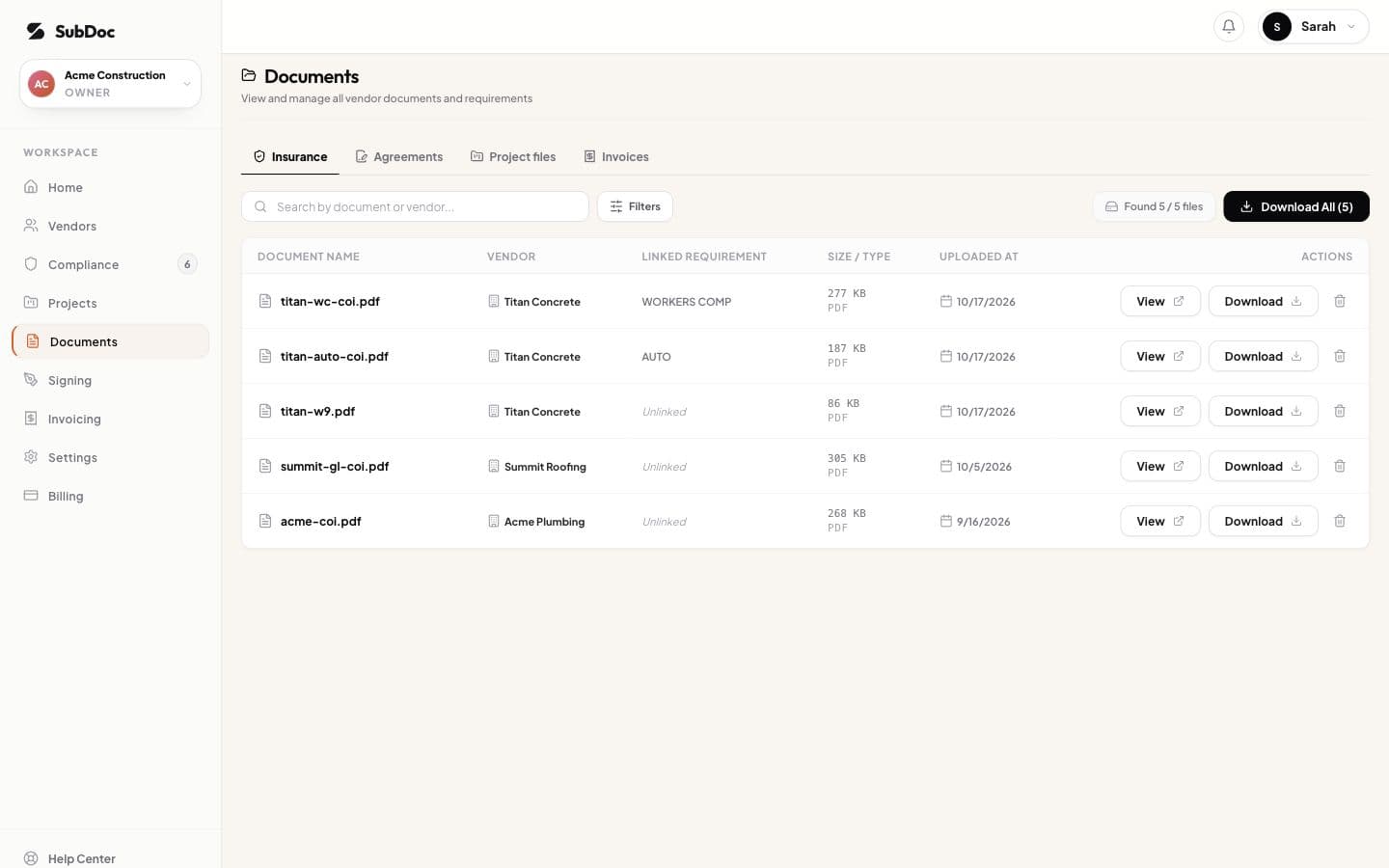
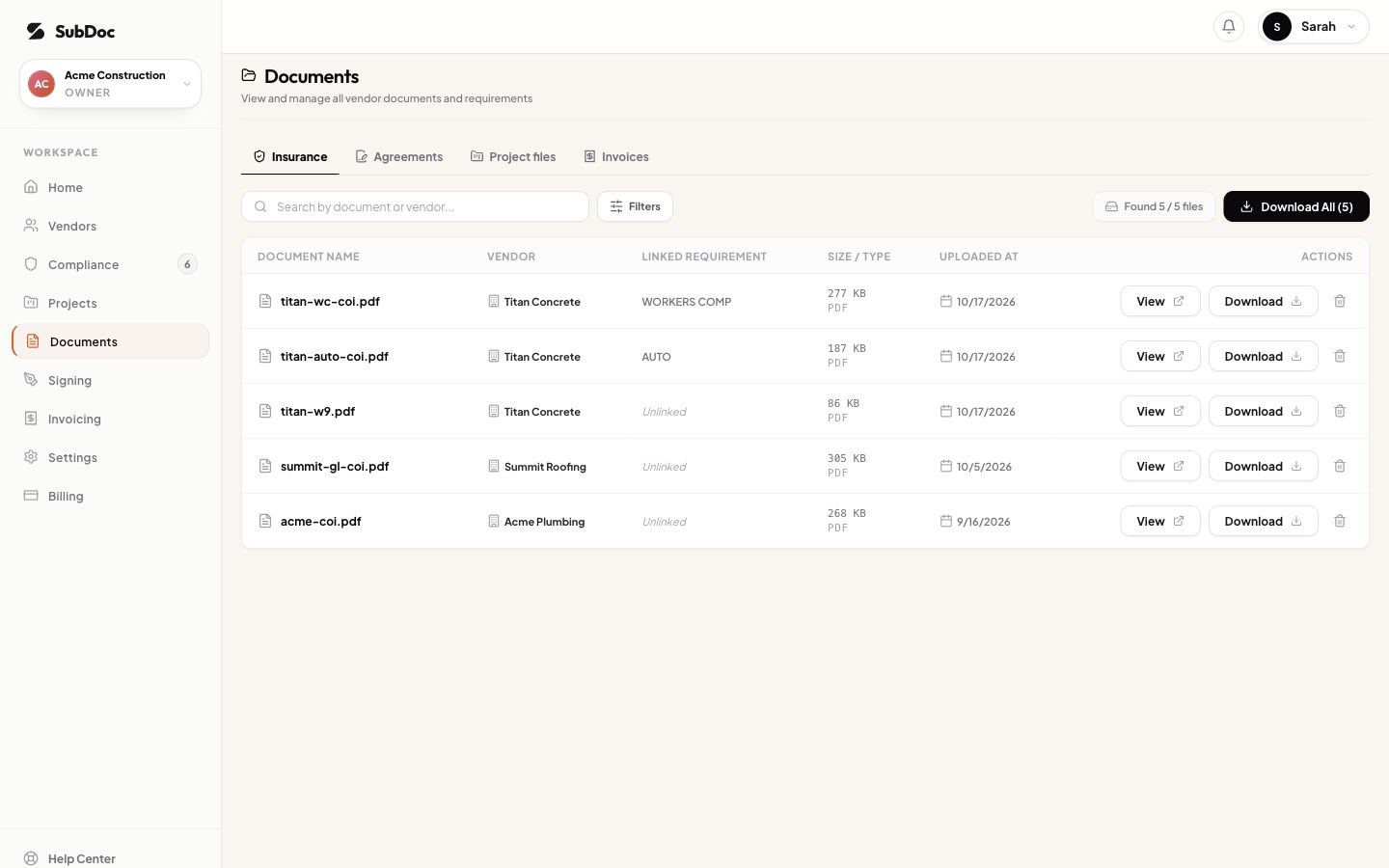
For decisions about preserving older files, use the COI record-retention guide. For a specific missing item, use the separate COI exception log. The audit worksheet reconciles the packet as a whole; the exception log tracks individual issues and follow-up.
What if a subcontractor's COI is missing?
Identify the affected entity, coverage line and work dates. Ask the producer or carrier for the relevant issued evidence through an established contact. Keep the request, response and unresolved question together. Do not edit a date, substitute a blank specimen or silently omit a subcontractor because the paperwork is inconvenient.
Do not apply a universal uninsured-subcontractor percentage or an assumed appeal deadline. FWCI's preparation checklist notes that requirements vary by state and that additional tests of independent status may apply. Ask your auditor what evidence and procedure apply to your case.
Final packet review and submission
Compare the packet with the insurer's request line by line. Ask a reviewer to check the entity names, date ranges, payment totals, source references and open-item list. Record what was checked and what remains unresolved. If the deadline is approaching, contact the auditor about the remaining items instead of inventing a complete status.
The Hartford's audit FAQ distinguishes the policy term from the calendar year. Travelers' process overview describes policy-term records and secure submission methods. Follow the destination in your own verified audit instructions. Keep financial and identity documents out of public links or demo environments.
Save a dated copy of the worksheet, the actual submitted files, outstanding questions and the submission confirmation. Submission is a handoff, not a guarantee of acceptance or a particular premium outcome. Record the auditor's later questions and decisions separately.
Download the subcontractor insurance audit worksheet or explore the SubDoc demo to inspect the sample document view.