Per-Project Aggregate Endorsement: What GCs Should Check
A per-project aggregate endorsement makes the general aggregate apply separately to designated construction projects under a commercial general liability policy. For a GC reviewing subcontractor insurance, the job is to connect that wording to the right project, policy and dates before accepting the certificate.
Request the issued endorsement and its project designation. CG 25 03 is the standard ISO form for this purpose. The ACORD 25 PROJECT box summarizes the arrangement; it does not change the policy. Check the occurrence limit and completed-operations aggregate separately, and refer unclear wording to your broker or carrier.
Key Takeaways
- A matching dollar amount does not establish that the general aggregate applies separately to your job.
- Check the issued endorsement, complete schedule, insured, policy number and applicable dates together.
- CG 25 03 does not increase every limit or create a separate completed-operations aggregate.
- Keep the review decision and open questions with the evidence; repeat the check at renewal.
What does a per-project aggregate endorsement change?
The general aggregate limits the total payable for claims subject to that aggregate during the policy period. Without a separate allocation, payments from one job can reduce what remains for another. A per-project arrangement separates the general aggregate for projects meeting the endorsement terms.
IRMI's designated-project endorsement definition identifies CG 25 03 as the standard ISO form. Its formal subject is the designated construction project general aggregate limit. For other form numbers, use our ISO insurance endorsement codes reference.
Start by copying the contract requirement into your review notes. A requirement for a $2 million general aggregate and a requirement for $2 million applying separately per project ask different questions. Confirm contract interpretation with counsel and coverage wording with the broker or carrier before accepting an unclear equivalent.
Per-occurrence vs per-policy vs per-project vs per-location limits
In a per-project vs per-policy aggregate comparison, distinguish the ceiling for one occurrence from the pool that several payments share. Then check whether the pool is allocated by policy, project or location. Identical numbers on two certificates can describe different arrangements.
| Term | What it describes | Reviewer's check |
|---|---|---|
| Each occurrence | Ceiling for covered damages from one occurrence, subject to policy terms. | Does the amount meet the exhibit? |
| Per policy | One shared general aggregate for claims subject to it. | Can other jobs draw from that pool? |
| Per project | Separate general aggregate for each qualifying designated project. | Does the designation include this job? |
| Per location | Separate general aggregate for qualifying designated locations. | Does the contract actually require a project aggregate? |
For per-project vs per-location aggregate wording, the Big “I” certificate FAQs distinguish CG 25 03 construction projects from CG 25 04 premises locations. A job address alone does not make the forms interchangeable. Have your broker review a proposed substitution against the requirement.
How does a per-project aggregate work across two jobs?
These hypothetical scenarios use the same subcontractor, a $1 million each-occurrence limit and a $2 million general aggregate. Project A is Cedar School; Project B is Market Offices. Assume all three losses are separate, covered ongoing-operations occurrences charged to the general aggregate. Ignore deductibles, defense costs, other claims, excess insurance and all other coverage issues.
First, two occurrences at Cedar School each produce $750,000 in covered damages. Next, one occurrence at Market Offices produces $900,000. Each loss is below the unchanged $1 million occurrence limit. The only difference between the scenarios is how the general aggregate applies.
| Step | Scenario 1: shared policy aggregate | Scenario 2: separate aggregates for A and B |
|---|---|---|
| Starting general aggregate | $2,000,000 shared | A: $2,000,000; B: $2,000,000 |
| A: first $750,000 payment | $1,250,000 remains shared | A: $1,250,000; B: $2,000,000 |
| A: second $750,000 payment | $500,000 remains shared | A: $500,000; B: $2,000,000 |
| B: $900,000 covered damages | $500,000 payable within remaining aggregate; $400,000 exceeds it | $900,000 payable; B has $1,100,000 remaining |
Scenario 2 assumes the issued endorsement designates both projects and applies to these losses. The payments at A reduce A's aggregate without reducing B's. This does not establish payment on a real claim or tell you whether any umbrella responds to an unpaid balance.
Keep three entries separate in a real file: the project designation, the stated policy limit and any information about remaining limits. Neither the endorsement nor certificate supplies a live claims ledger. If available limits matter to your decision, ask the producer or carrier what can be confirmed, as of what date, and keep the response with its qualifications.
Does CG 25 03 change the completed-operations aggregate?
CG 25 03 leaves other policy limits, including the products-completed operations aggregate, unchanged, as IRMI explains. It also leaves exclusions and other coverage conditions to be reviewed. A larger aggregate pool cannot make an excluded activity covered.
If the contract requires a separate completed-operations aggregate for each project, request the provision supporting that requirement. Use the completed-operations coverage definition when discussing post-completion exposure with the project team. Do not mark that requirement satisfied solely because CG 25 03 arrived.
Additional insured status is another independent check. Allocating an aggregate does not add the owner or GC as an insured. Our CG 20 10 vs. CG 20 37 guide covers the separate ongoing and completed-operations additional insured documents.
Is the ACORD 25 PROJECT checkbox enough evidence?
Find the general aggregate application line in the commercial general liability section. The ACORD 25 project checkbox reports a per-project arrangement, while POLICY and LOC report other arrangements. Read it beside the general aggregate dollar amount, then obtain the supporting endorsement.
The Texas Department of Insurance certificate FAQ explains that a certificate cannot extend policy coverage. It also distinguishes a job number used for identification from a statement promising compliance with a construction contract. Those are Texas-specific rules; confirm local certificate requirements with counsel or your licensed insurance adviser.
A project name in the description box helps identify the request, but it cannot fill a missing endorsement schedule. Check the rest of the certificate using the ACORD 25 inspection checklist. Keep the aggregate question open until the policy evidence supports the statement.
How do you verify a per-project aggregate endorsement?
Assemble the insurance exhibit, certificate, issued endorsement and every referenced schedule or declarations page. Record the full form identifier, including its edition date, separately from the endorsement effective date. A blank specimen explains wording but does not establish what the insurer issued for this subcontractor.
| Evidence question | Record before closing | If unresolved |
|---|---|---|
| Same insured and policy? | Legal name and policy number across certificate and issued pages. | Request missing identifying pages or producer reconciliation. |
| This project designated? | Exact schedule description and referenced page. | Request the schedule; escalate ambiguous or blanket wording. |
| Required amounts shown? | Occurrence and general aggregate amounts against the exhibit. | Ask whether a policy change or authorized exception is needed. |
| Applicable work dates? | Policy period and endorsement effective date against planned work. | Refer any gap or requested retroactive treatment to the carrier. |
| Certificate agrees? | PROJECT statement reconciled with policy evidence. | Request correction or explanation; do not close from the box alone. |
| Remaining limits established? | Dated carrier information, if requested and provided; otherwise unknown. | Escalate if needed for the decision; never infer an unspent balance. |
For example, PROJECT is checked, but the attached schedule lists Cedar School while your contract concerns Market Offices. Record “project designation unresolved” and request the applicable issued schedule. If broader wording is supplied, have the reviewer identify why this job meets its conditions rather than assuming every new job qualifies.
Use three outcomes: evidence accepted, missing documents requested, or wording referred for specialist review. Add a reviewer, date, document references and next-action owner. An authorized contract exception needs its own record; accepting a deviation does not change the policy.
A filled hypothetical entry might read: “Market Offices, 18 Market Street; Cedar Electric LLC; policy GL-4821, October 1, 2026 to October 1, 2027; $1 million each occurrence, $2 million general aggregate. PROJECT checked. Issued schedule supplied lists Cedar School only. Outcome: missing evidence requested; coordinator to contact producer before mobilization. Remaining limits: unknown.” When corrected evidence arrives, add a dated decision identifying the new pages. Keep the original deficiency visible rather than replacing it with an unexplained approval.
What to ask the producer when the documents disagree
Describe the conflict precisely. If POLICY is checked but an apparently applicable per-project endorsement arrives, request reconciliation rather than rejecting solely on the box. If PROJECT is checked without supporting pages, ask for those pages. The subcontractor COI request guide covers initial collection; use this narrower template for aggregate deficiencies.
Subject: Aggregate evidence needed: [subcontractor] / [project and address]

Our insurance exhibit requires [amount] general aggregate applying separately to this project. The certificate shows [PROJECT/POLICY/LOC], but [describe the missing page or conflicting designation].

Please provide the issued CG 25 03 or carrier equivalent, its edition and effective date, and the complete schedule or referenced declarations for policy [number]. Identify the provision and project description supporting the certificate statement.

If the certificate is inaccurate, please correct it to reflect the policy. If a policy change is needed, please explain what is available and its effective date. We also need separate evidence for [completed-operations requirement, if applicable].

Please respond by [date]. Attached: insurance exhibit and documents received. Our reviewer: [name and contact].
Big “I” producer guidance separates explaining available insurance from the insured's business decision about contractual requirements. Ask for the policy evidence, not unsupported certificate promises. Escalate contractual exceptions to counsel and policy changes to the carrier through the producer.
When should you recheck project aggregates at renewal?
At renewal, compare the new policy number, dates, endorsement and schedule with the approved packet. Check how a continuing job is designated under the renewal. Last year's endorsement beside this year's certificate leaves a policy connection to verify. Repeat the check after a carrier change or new project award.
Preserve earlier evidence with its policy period and review notes. Give each open item an owner and a response date. A colleague should be able to distinguish documents received from requirements accepted, and reconstruct the decision without searching someone else's inbox.
How can SubDoc support aggregate endorsement review?
SubDoc's vendor insurance verification workflow helps organize certificate information for review. Your reviewer still checks exact form numbers, editions, project schedules and wording. SubDoc does not determine claims erosion or certify the remaining project limit.
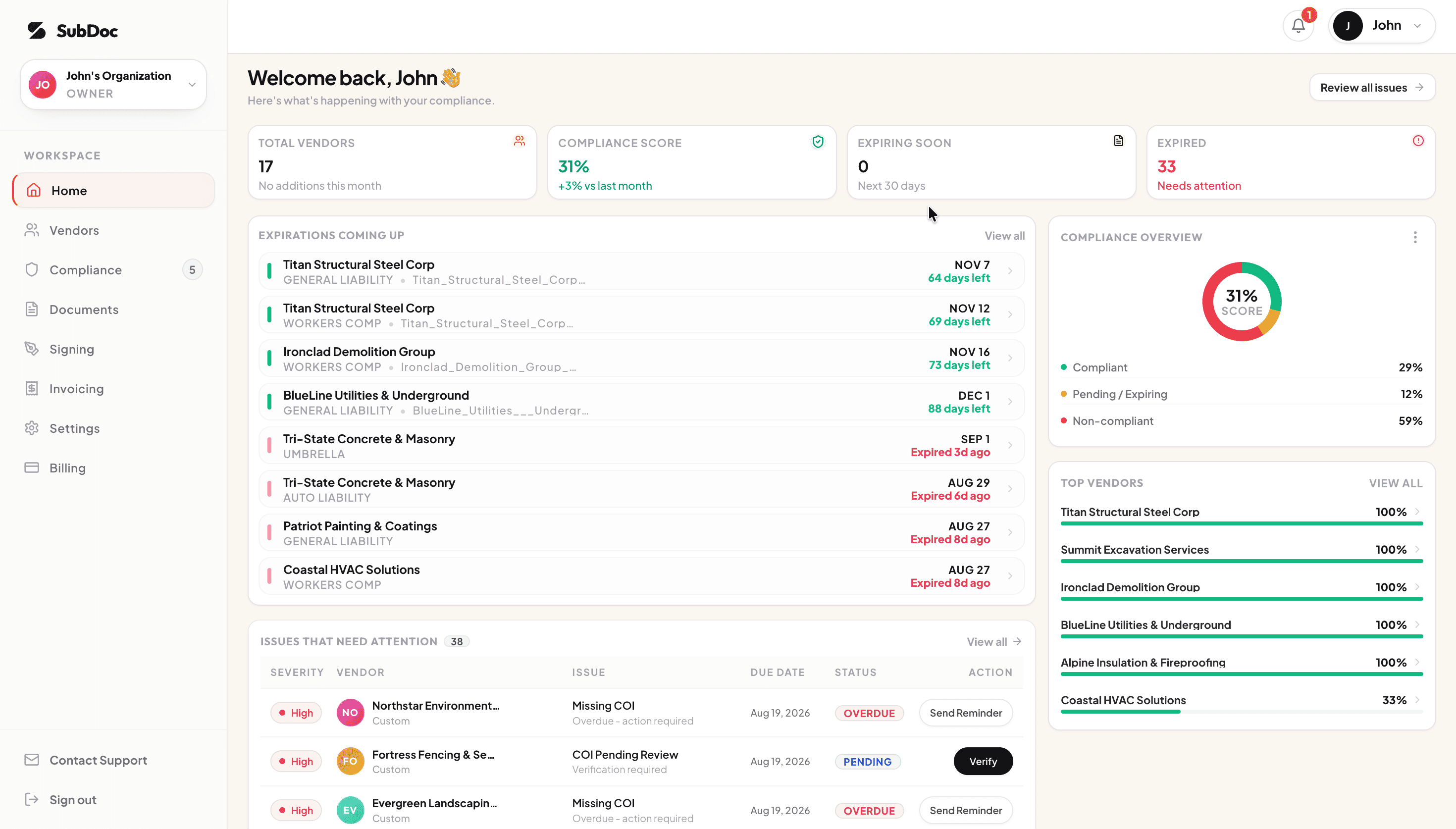
- Organize vendor certificates and supporting documents for review.
- Use extracted certificate information as a starting point; Pro and Business include checks against configured coverage limits and endorsement requirements.
- Use internal expiration notifications to plan renewal reviews. Your team handles vendor and broker follow-up.
Accept a per-project aggregate endorsement after the reviewer connects the evidence to the requirement. Keep the accepted pages and decision together so the next review starts with a clear record.
Frequently Asked Questions
A per-project aggregate endorsement makes the general aggregate apply separately to designated construction projects under a commercial general liability policy. CG 25 03 is the standard ISO example. Review the issued wording and schedule to establish which projects qualify; the certificate checkbox alone does not establish that scope.
CG 25 03 addresses designated construction projects; CG 25 04 addresses designated locations. A location endorsement does not automatically satisfy a contract requiring a separate project aggregate. Ask your broker to compare the actual designation and wording with the contract before accepting a proposed substitute.
No. CG 25 03 leaves the products-completed operations aggregate unchanged. If your contract requires that aggregate to apply separately by project, request evidence of the separate provision supporting it. Also review completed-operations additional insured status independently, since aggregate allocation does not establish who qualifies as an insured.
No. The checkbox describes how the general aggregate is reported to apply, but it does not amend the policy or supply a missing schedule. Match the issued endorsement, project designation, policy number and dates. Ask the producer to resolve any conflict between the certificate and the policy evidence.
No. The endorsement describes how the aggregate applies; it does not report claims payments or establish the current remaining balance. A certificate also cannot establish that no claims have reduced a limit. Refer questions about available limits to the producer or carrier and retain the dated response with its scope.
Related Guides
Keep the evidence ready for review
Organize vendor insurance records in SubDoc. Give your reviewer the supporting documents and assign someone on your team to resolve questions with the producer.