ISO Insurance Endorsement Codes: A Contractor’s Reference
ISO insurance endorsement codes are form numbers that identify standardized policy amendments. CG identifies the commercial general liability series; the final month and year identify the edition. Use this contractor reference to find the document to request, then match its wording, schedule and policy details to your contract.
ISO insurance endorsement codes identify policy forms. Use the lookup to request issued endorsements, then check the edition, policy number, schedule and conditions against your contract. Refer wording or exclusion questions to your broker before accepting the file.
Key Takeaways
- Record the form number and edition date together; they identify different things.
- Review issued endorsements and referenced schedules alongside the COI.
- Match the form to the relationship: construction work, leased premises and permits need different treatment.
- Use software flags to organize review; retain a person responsible for interpreting the policy wording.
What do ISO insurance endorsement form numbers mean?
ISO stands for Insurance Services Office. Verisk describes its ISO standardized policy forms and endorsements as policy wording that is revised over time. Insurance endorsement form numbers identify those documents, including the commercial general liability series marked CG. An endorsement changes a policy; a certificate of insurance summarizes information about policies.
Asking a subcontractor to put a form number on a COI does not replace asking for the endorsement itself. The New York Department of Financial Services guidance on certificates explains that certificates should not alter policy terms. Our additional insured versus certificate holder guide explains why being listed as the holder does not establish additional insured status.
Treat the code as a filing reference. It helps your coordinator request the right page and a later reviewer understand what was accepted. Start with the signed requirement, then connect each supporting document to the subcontractor, job and applicable insurance-exhibit item.
Which CG endorsement codes do contractors need to check?
This table covers commercial general liability forms that can arise in contractor and vendor files. Purposes are abbreviated, not full coverage descriptions. Read the issued edition and policy before deciding whether it meets a requirement. The linked specimens are references, not documents to complete yourself or attach to a vendor's policy.
| Code | Purpose | What to inspect | Ask your broker when |
|---|---|---|---|
| CG 20 10 | Scheduled additional insureds for ongoing operations in contemporary editions. | Named parties and covered operations or locations. Read older editions separately. CG 20 10 definition | The contract specifies a different edition. |
| CG 20 37 | Scheduled additional insureds for completed operations. | Required parties and the work or location described in the schedule. Ongoing vs. completed operations | The completed work is missing from the schedule. |
| CG 20 33 | Automatic additional insured status tied to a written construction agreement with the named insured. | The agreement and its parties; do not assume every upstream entity qualifies. Form explanation (PDF) | A required entity is outside the direct agreement. |
| CG 20 38 | Automatic additional insured status that can reach other parties required by the construction agreement. | The contract chain and conditions. This is an ongoing-operations form. Form explanation (PDF) | Who qualifies under the agreement is unclear. |
| CG 20 11 | Additional insured protection for managers or lessors of leased premises. | The landlord or manager and premises schedule. A lease form is not a construction-work substitute. Premises form (PDF) | It is offered for a construction-work requirement. |
| CG 20 12 | Additional insured status for public bodies in a permits or authorizations context. | The permit relationship and exclusions. Do not use it as a general public-project endorsement. Permit form (PDF) | The requirement concerns work for the public body. |
| CG 20 01 | Primary and non-contributory treatment of other insurance, subject to conditions. | Additional insured status and the required written agreement. It does not add an insured by itself. ISO specimen (PDF) | The written agreement or insured status is unclear. |
| CG 24 04 | Waiver of recovery rights on the specified liability coverage part. | The protected party and applicable work. A GL waiver does not establish a workers’ comp waiver. ISO specimen (PDF) | The requested waiver concerns a different policy. |
| CG 25 03 | Per-project aggregate endorsement for designated construction projects, subject to its terms. | The project designation and remaining policy terms. Other limits do not all become per-project. Project aggregate specimen (PDF) | The project designation does not match the job. |
| CG 25 04 | Separate general aggregate treatment for designated locations. | The location schedule. A location-based requirement differs from a construction-project requirement. Location aggregate specimen (PDF) | A per-project requirement is answered with this form. |
Keep separate requirements separate. Our primary and non-contributory versus waiver of subrogation comparison explains why those two requests need different evidence. Cancellation notice needs its own review too; use the ACORD 25 notice-of-cancellation guide for that question.
How do you read an endorsement edition date?
A full identifier such as CG 20 01 12 19 includes the base form number and an endorsement edition date. Here, 12 19 means December 2019. It is not the date the subcontractor bought the policy, the date an agent issued the certificate, or the date coverage expires. Those belong in separate fields in your review record.
You can see that identifier on the CG 20 01 specimen published by the City of Ventura. Its primary and non-contributory treatment depends on conditions, including an agreement in writing. Finding the expected heading is therefore only the start of the check.
Copy the full identifier into your log exactly as printed. If your contract asks for an older edition and the carrier supplies a newer one, flag the difference for review. Do not approve it merely because the base form number matches, or reject it merely because the year differs. Ask which wording the contract requires and whether the issued form meets that requirement. Save the reviewer's explanation so the next person does not have to repeat the comparison at renewal.
Can CG 20 10 replace CG 20 37 for completed operations?
Do not carry an old edition's coverage assumptions into a newer form. Contemporary CG 20 10 editions address ongoing operations; CG 20 37 addresses completed operations. If the contract requests both, a packet containing only CG 20 10 leaves a completed-operations question open. A renewal certificate also does not prove last year's endorsements continued unchanged. Compare the current issued forms each time.
For the wording and edition differences between the scheduled ongoing- and completed-operations forms, use our CG 20 10 versus CG 20 37 guide. Keep this reference for identifying the document you need next.
How do you spot endorsement mismatches in a contractor file?
A clean specimen can demonstrate what a form looks like. Your file needs evidence of what the insurer issued for this insured. Request the complete endorsement, referenced declarations or schedules, and enough policy information to connect the pages. An isolated blank form downloaded from the internet leaves that connection unanswered.
- Policy connection: compare the named insured and policy number across the COI, declarations and endorsement. A page from the prior carrier needs an explanation.
- Protected party: compare the scheduled legal entity with the contract. A parent name may leave a subsidiary unaddressed. For automatic status, check the written-contract trigger.
- Work or location: match the project address and operations. Follow “see schedule” references; a missing schedule leaves the check open.
- Timing: distinguish the edition date from the endorsement effective date. Confirm the applicable policy period and any written-contract conditions.
- Coverage purpose: distinguish ongoing work, completed work, primary wording and waivers. One matching code cannot close all four requirements.
The distinction matters for aggregates as well. The CG 25 04 and CG 25 03 specimens in this carrier packet designate locations and construction projects respectively. Neither is a shortcut for assuming every limit resets for every job. Check the applicable schedule and the limits the endorsement actually changes. See our per-project aggregate endorsement guide for a worked comparison.
When should a broker review the endorsement wording?
Stop at the point where the question becomes whether wording is equivalent, a condition is satisfied, or an exclusion defeats the intended protection. A carrier-specific code is a reason to request the wording, not evidence that the document is wrong. Send your broker the contract requirement, certificate, endorsement and schedule together, with the exact question you need answered.
For example, the CG 24 04 05 09 specimen names liability coverage parts and a scheduled beneficiary. A request for a workers' compensation waiver needs evidence from that policy, not an assumption based on this GL form. Likewise, a wrap-up project needs review beyond the additional insured pages. Our OCIP and CCIP wrap-exclusion guide addresses that separate issue.
Are CG 20 11 and CG 20 12 substitutes for construction endorsements?
Match the relationship before comparing numbers. CG 20 11 concerns leased premises; CG 20 12 concerns governmental permits or authorizations. A landlord, a permit issuer and a project owner have different roles. When either code appears in a construction packet, ask which contract obligation it answers and what evidence supports the remaining work-related requirements.
Worked example: does this endorsement packet match the subcontract?
In this hypothetical example, Cedar Electric LLC works for Oak Construction LLC at 18 Market Street. The subcontract requires ongoing and completed-operations additional insured coverage, primary and non-contributory treatment, and a GL waiver. The agent sends a COI for policy GL-4821 and CG 20 10 04 13 naming Oak Construction Inc. at 81 Market Street. No completed-operations page is included.
Log the full identifier, then flag two schedule mismatches: the protected entity and the project address. Ask the producer to confirm the intended entity and location and supply corrected issued evidence if needed. Separately request completed-operations evidence, the provision supporting primary treatment, and the GL waiver with its schedule. Reconcile each page to GL-4821.
Send one clear deficiency list: the missing evidence, the requirement it relates to, and where the agent should send the response. Our COI request email templates provide a starting point. Keep the status as awaiting review until the reviewer resolves the questions. Record the decision separately from the date the email arrived.
If revised pages name Oak Construction LLC at 18 Market Street and the reviewer confirms the remaining requirements, close those items with the reviewer's name, date and document references. A corrected COI alone leaves the missing endorsement evidence unresolved.
What belongs on a contractor endorsement checklist?
Turn the requirements in your subcontractor insurance clause into a short review register beside the PDFs so a coordinator can tell what was requested, received and accepted. One row per requirement works better than one blanket note saying all insurance is approved. For each row, keep:
- Requirement: the contract clause or insurance-exhibit item, with the required party and work.
- Evidence: file name, relevant page, full form identifier, policy number and any referenced schedule.
- Open question: the missing document or wording issue, the person handling it and the requested response date.
- Decision: reviewer, review date, outcome and any approved exception or broker explanation.
- Next review: policy expiration and any project milestone that requires another check.
At renewal, use the old register as your comparison list rather than copying its approval forward. Ask for the current evidence, note any carrier or form changes, and close each requirement again. Preserve the prior documents and decision record so a question about last year's work can be answered from last year's file. Your retention schedule should follow your contracts and professional advice, not the space left in an inbox.
Give someone responsibility for unresolved items. A note that says broker reviewing is useful only if a person owns the next action. The same applies when a project manager requests an exception: record who authorized it, which requirement it covers and when it must be reconsidered.
How can SubDoc support insurance endorsement review?
SubDoc helps organize vendor insurance records and the information extracted from certificates. Its endorsement signals can help a reviewer see what needs attention. They do not establish which exact ISO edition was issued or whether a contract trigger has been satisfied.
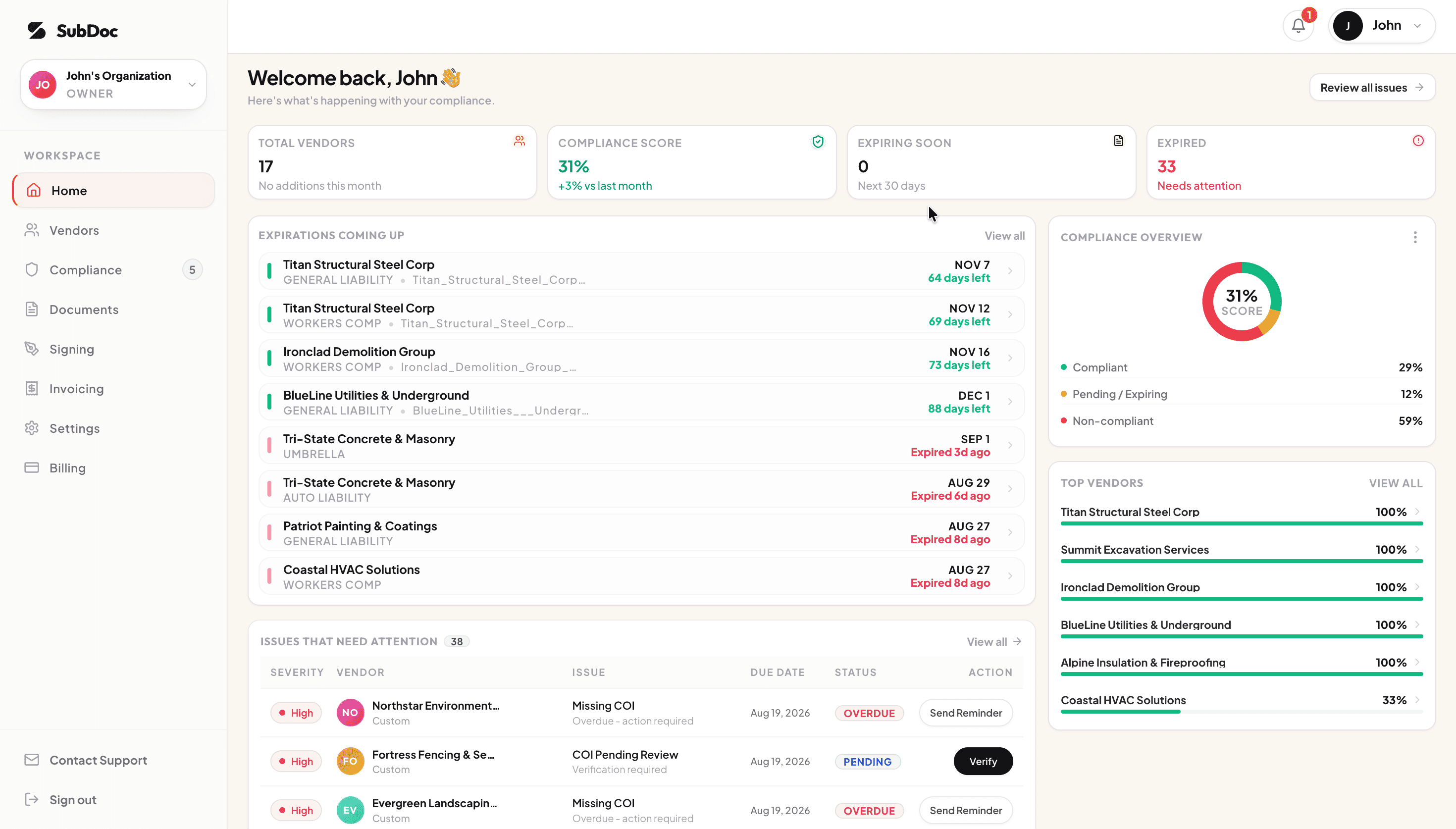
- Keep vendor COIs in one workspace and use extracted policy information when reviewing the file.
- On Pro and Business, check recorded additional insured, waiver and primary and non-contributory signals, plus coverage limits, against configured requirements.
- Have your reviewer inspect exact form numbers, editions, schedules and wording. Keep that review separate from a positive certificate signal.
- Use team expiration notifications to plan the next review. Assign someone on your team to handle vendor and broker follow-up.
Choose the workflow around the person doing the review. Check current plan details for feature availability, and agree with your broker how questions about policy wording will be handled.
Frequently Asked Questions
CG identifies the commercial general liability form series. The following numbers identify a particular form, while the final month and year identify its edition. Record the full identifier from the issued endorsement, then compare the wording with your contract requirements.
No. A reference on the certificate helps you identify what to request. Obtain the endorsement and any referenced schedule, then match them to the policy and insured. The certificate does not amend the policy or create additional insured rights by itself.
No. CG 20 11 addresses a manager or lessor in a premises lease relationship. CG 20 10 addresses scheduled additional insureds in connection with the named insured’s ongoing work. Ask your broker which form fits the relationship and contract.
Yes, a carrier may issue its own form. A different code does not establish whether its protection is broader or narrower. Have a qualified reviewer compare the actual coverage grant, conditions, exclusions and limits before accepting it as an equivalent.
SubDoc extracts certificate information and records additional insured, waiver of subrogation and primary and non-contributory signals. Pro and Business include checks against configured endorsement requirements and coverage limits. Your reviewer still checks exact form numbers, editions, schedules and contract wording. Your team handles vendor and broker follow-up.
Related Guides
Keep the certificate and the review together
Bring vendor COIs into one workspace, record the information you review, and keep policy dates visible to your team. Start with SubDoc's free workspace.